

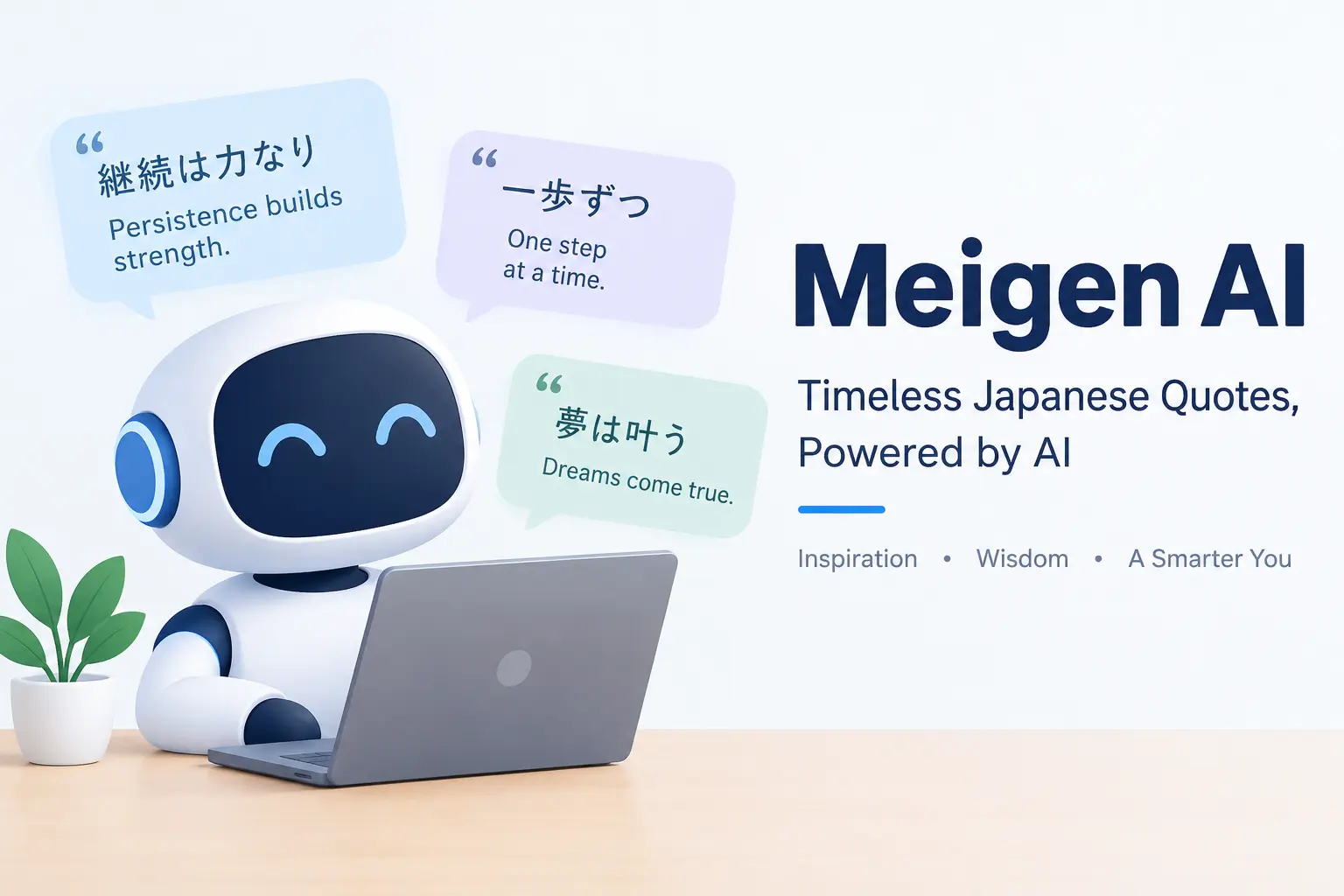
Artificial intelligence is changing how people create digital content. Tasks that once required photography equipment, animation software, or advanced editing skills can now begin with a written description and a suitable AI tool.
Meigen AI is a name associated with AI-powered image and video creation. Depending on the specific website, users may be able to turn text into images, animate existing pictures, generate videos from prompts, or explore creative prompts for different visual styles.
These tools can be useful for content creators, marketers, designers, bloggers, and small businesses that want to explore visual ideas without starting every project from scratch.
However, AI-generated content still requires human judgment. A tool may misunderstand a prompt, produce unnatural movements, or generate visual details that need correction. Pricing, usage rights, available models, and privacy policies can also vary between services.
What Is Meigen AI?
Meigen AI refers to AI-powered creative tools associated with generating or working with images and videos. One service, available at meigen.co, describes itself as an AI video and image generator with text-to-video, image-to-video, text-to-image, and image-to-image workflows.
In simple terms, these workflows let users provide a written instruction or an existing image and ask an AI system to create or modify visual content.
For example, a user might describe a futuristic city at sunset and request a cinematic image. Another user might upload a photograph of a product and request a short animation that moves the camera around it.
The system processes the input and generates a result based on its capabilities, model, and available settings.
The exact features depend on which Meigen-branded website you use. The name alone is not enough to establish that two services share the same operator, subscription, account system, or technology.
Before creating an account, check the domain, product documentation, pricing page, and terms of service.
How Does Meigen AI Work?
Most AI image and video generators follow a relatively simple process.
-
Input: You write a prompt, upload an image, or provide another supported reference.
-
Interpretation: The AI model processes your instructions and visual input.
-
Generation: The system creates an image or video according to the selected workflow.
-
Review: You examine the result and decide whether it meets your requirements.
-
Refinement: You change the prompt, adjust settings, or try another generation.
-
Export: If supported by the service, you download the result and prepare it for your project.
The process can be straightforward, but getting a good result often takes experimentation. Clear instructions about the subject, composition, lighting, style, and motion generally provide a better starting point than a vague prompt.
Main Features of Meigen AI
The features below describe the core image and video workflows advertised by the relevant service. Availability, quality, output formats, and usage limits may differ across similarly named products.
1. Text-to-Video Generation
For example, a creator could enter a prompt describing a quiet coastal village, waves moving toward the shore, and warm sunlight reflecting on the water.
The AI system attempts to transform that description into moving visuals.
This feature may help with:
-
Social media video concepts.
-
Short visual stories.
-
Creative experiments.
-
Marketing drafts.
-
Video backgrounds.
-
Educational visual demonstrations.
-
Early-stage advertising concepts.
The quality depends on the model, the prompt, and the complexity of the scene. Complex interactions, fast movement, and several people performing different actions may be harder to generate consistently.
2. Image-to-Video Generation
This approach may be especially useful when you already have a suitable image but want to explore how it might look in motion.
Potential applications include:
-
Animating blog illustrations.
-
Creating short social media clips.
-
Developing product presentation concepts.
-
Adding movement to digital artwork.
-
Producing visual drafts for advertisements.
-
Exploring cinematic camera movements.
A useful tip: Explain which elements should move and which should remain still. For example, you might ask for slow camera movement while keeping a product’s shape, label, and position consistent.
AI systems may not preserve every detail perfectly, so check for changes to faces, logos, product packaging, and other important features.
3. Text-to-Image Generation
For example, a blogger writing about home decoration might request a bright living room with natural wood furniture, neutral walls, indoor plants, and soft morning light.
A business owner might request a concept image for a product campaign. A designer might explore several possible visual directions before beginning a final design.
Common uses include:
-
Blog illustrations and feature images.
-
Concept art.
-
Product mockups.
-
Social media graphics.
-
Editorial-style images.
-
Presentation visuals.
-
Creative mood boards.
Text-to-image tools can save time during the brainstorming stage, but generated images may contain inaccurate text, unusual hands, inconsistent objects, or other visual mistakes.
Review the final image before using it commercially or publishing it on a website.
4. Image-to-Image Editing
Image-to-image generation uses an existing picture as a reference for a new result.
Instead of creating an image entirely from text, you provide a starting image and explain what should change.
For example, you could use a room photograph as a reference and request a different color palette or decorative style. An illustrator might use a rough sketch to explore a more polished visual direction.
Possible applications include:
-
Exploring alternative design styles.
-
Creating variations of a visual concept.
-
Adjusting backgrounds.
-
Developing product presentation ideas.
-
Refining illustrations.
-
Testing creative directions.
The amount of control available depends on the tool. Some systems preserve the original composition more closely than others.
If the image contains a real person, a private document, or confidential business information, consider the privacy implications before uploading it.
5. Creative Prompt Workflows
A good prompt can make the difference between a generic result and an image or video that matches your idea.
Some Meigen-branded websites emphasize prompt discovery, reusable creative instructions, or prompt galleries in addition to generation. For example, meigen.cc describes workflows that connect prompt ideas with image-to-video and text-to-video experimentation.
Prompt-based workflows can help users:
-
Discover different visual styles.
-
Study how prompts describe scenes.
-
Reuse successful instructions.
-
Test different creative directions.
-
Develop consistent ideas for a campaign.
A prompt should still be adapted to your project. Copying an existing prompt without considering your audience, subject, and intended result may produce an image that does not fit your needs.
6. Visual Content for Different Projects
An AI image or video generator can support many types of creative work.
For example, a blogger might need a feature image for an article. A small business might want an early concept for a social media advertisement. A teacher might need a visual example to explain a topic.
The tool can help create a first draft, but it should not replace fact-checking, design review, or accessibility checks.
Before publishing a result, consider whether it accurately represents the subject, suits the audience, and communicates the intended message.
Benefits of Using Meigen AI
The usefulness of an AI creative tool depends on your goals, the quality of its output, and the amount of editing required.
Here are some potential advantages of using an image and video generation workflow.
Faster Creative Experimentation
Traditional visual production can involve planning, sourcing images, arranging equipment, filming, and editing.
AI generation can shorten the early experimentation stage by letting users test ideas through prompts and reference images.
Instead of organizing a complete production for every concept, you may be able to compare several visual directions before committing more time or money.
This does not mean every AI output is production-ready. Complex projects may still require significant manual work.
Support for Beginners
Many AI creative tools are designed around ordinary language rather than specialist software commands.
A beginner can describe a scene without first learning advanced animation techniques. They can then review the output, adjust the prompt, and experiment with different approaches.
Basic knowledge of composition, lighting, and visual storytelling can still improve results.
More Options for Content Creators
Bloggers and social media creators often need a steady supply of relevant visual material.
AI-generated visuals may help them brainstorm article illustrations, video concepts, thumbnails, and promotional graphics.
However, visual relevance matters more than quantity. A picture should support the article’s subject instead of serving as an unrelated decorative element.
Useful for Small Businesses
Small businesses may use AI generation to explore product campaigns, promotional concepts, or social media creative directions.
A business could test whether a product looks better against a light background or a dramatic studio setting before commissioning final photography.
Generated product images should not misrepresent actual product features. Customers should be able to understand what the business really sells.
Flexible Creative Exploration
AI generation allows users to try styles and scenarios that may be expensive or difficult to produce traditionally.
A designer could explore a fantasy landscape, a futuristic city, or a stylized product scene in the concept stage.
These results can be useful for inspiration even when the final project requires traditional illustration, photography, or editing.
Potentially Lower Initial Production Costs
For some projects, generating a draft may cost less than commissioning a complete shoot or animation.
However, the total cost depends on subscriptions, credits, failed generations, editing time, and the requirements of the final output.
It is best to compare the total workflow cost rather than assume that AI generation is always cheaper.
How to Use Meigen AI Step by Step
The following workflow applies to typical browser-based AI image and video generators. Button names and available settings may differ between Meigen-branded websites.
Step 1: Identify the Correct Website
Start by deciding which service you intend to use.
The name appears on several domains, including meigen.co and meigen.ai. These websites describe different aspects of image and video creation, so verify that you are using the service you intended.
Step 2: Create an Account if Required
If the selected service requires an account, follow its official registration process.
Use a strong, unique password and avoid sharing verification codes. Check whether the service offers a free trial, introductory credits, or a paid subscription before starting a generation.
Do not assume that a free download, free prompt gallery, or free registration means that every generation is free.
Step 3: Choose an Image or Video Workflow
Select the workflow that matches your goal.
-
Choose text-to-image when you need a new still image from a description.
-
Choose image-to-image when you want to modify or reinterpret an existing picture.
-
Choose text-to-video when you want to generate a video from a prompt.
-
Choose image-to-video when you want to animate a reference image.
If the platform offers several AI models, compare their capabilities and costs before selecting one.
Step 4: Write a Clear Prompt
A useful prompt describes the main subject and the details that matter to the result.
For a still image, consider:
-
Subject.
-
Setting.
-
Composition.
-
Lighting.
-
Color palette.
-
Visual style.
-
Intended aspect ratio.
For a video, also describe:
-
Subject movement.
-
Camera movement.
-
Scene progression.
-
Background movement.
-
Desired mood.
-
Elements that should remain unchanged.
Avoid including unnecessary details that conflict with one another.
Step 5: Generate the First Result
Submit your prompt and wait for the service to process it.
Generation times vary according to the model, workload, output settings, and task complexity. Do not assume that every image or video will finish within a fixed number of seconds.
When the result appears, check whether it follows your instructions.
Step 6: Refine the Output
If the result is not suitable, change the prompt rather than repeatedly submitting the same request without a clear reason.
For example, if a video contains too much camera movement, explicitly request a slow, steady camera. If an image has a distracting background, describe a simpler setting.
Make one or two meaningful changes at a time so you can understand which instructions improve the result.
Step 7: Review and Export
Before downloading or publishing the final result, check:
-
Visual quality and resolution.
-
Correctness of important details.
-
Consistency between frames in videos.
-
Any unwanted text or artifacts.
-
Aspect ratio and file format.
-
Watermarks or export restrictions.
-
Commercial-use permissions.
If the result includes recognizable people, branded products, or copyrighted elements, consider the relevant permissions and legal requirements.
Tips for Writing Better Meigen AI Prompts
Prompt writing is an important part of image and video generation. A more precise prompt gives the model a clearer target, although it cannot guarantee an exact result.
Describe the Subject Clearly
Start with the main thing you want to show.
Instead of writing “beautiful room,” describe a specific scene, such as a small modern living room with a beige sofa, oak coffee table, large windows, and indoor plants.
Specific details help establish the intended composition.
Include Lighting and Mood
Lighting influences how an image feels.
You might request soft morning sunlight for a home interior, dramatic side lighting for a product photograph, or cool blue lighting for a futuristic scene.
Choose a lighting style that supports your subject rather than adding contradictory instructions.
Explain Camera Movement for Videos
A video prompt should describe what moves.
Examples include:
-
Slow camera push toward the subject.
-
Gentle horizontal pan across a landscape.
-
Fixed camera with moving clouds.
-
Smooth orbit around a product.
-
Slow zoom out from a wide scene.
Keep the movement simple when consistency is important.
Use Reference Images Carefully
If the tool supports image uploads, use an image that clearly communicates your intended composition or style.
Explain which elements should remain consistent and which can change. Even then, the generated output may alter details, so inspect the result.
Test Different Versions
You may need several attempts to find a suitable result.
Try changing the composition, lighting, or motion instructions one at a time. Save prompts that work well so you can reuse them for related projects.
Avoid spending more credits than necessary on small variations that do not improve the final result.
Example Prompt for an AI Image
Create a professional editorial photograph of a modern home office with a light oak desk, a comfortable neutral chair, a laptop, a small indoor plant, and natural sunlight coming through a large window. Use a clean composition, realistic materials, soft shadows, warm neutral colors, and a calm, productive atmosphere. Keep the scene uncluttered and suitable for a home improvement blog.
Example Prompt for an AI Video
Create a cinematic video of a peaceful tropical beach at sunrise. Gentle waves move toward the shore, palm leaves sway slightly in a light breeze, and warm sunlight reflects across the water. Use a slow, smooth camera movement, natural colors, realistic lighting, and a calm atmosphere. Keep the horizon stable and avoid sudden camera movements or distracting visual changes.
Meigen AI Pricing: Is It Free or Paid?
Before using Meigen AI regularly, understand how the specific service charges for image and video generation.
Pricing is particularly important because generating several versions of a video can consume more resources than producing a single still image.
The website meigen.co lists subscription plans and one-time credit packs. Its displayed plan prices include $19.90, $29.90, and $49.90 per month as monthly equivalents for yearly billing arrangements, with different credit allowances. These prices and plan terms may change, so confirm the current checkout details before purchasing.
Free Access and Trial Credits
Some AI platforms let new users explore the interface or try selected features before paying. However, free access may be limited by account eligibility, generation credits, output quality, or supported workflows.
Check whether the particular website offers free generation, how many credits are included, and whether unused credits expire.
Do not enter payment details for a supposed free trial until you understand the renewal conditions.
Subscription Plans
A subscription may be appropriate if you generate images or videos frequently.
Before subscribing, compare:
-
Monthly versus annual billing.
-
Included credits.
-
Cost of additional credits.
-
Supported image and video models.
-
Download and export options.
-
Commercial-use permissions.
-
Cancellation terms.
-
Refund eligibility.
An inexpensive plan may not be the best value if it lacks the features you need.
One-Time Credit Packs
Some services offer credit purchases without requiring a recurring subscription.
This option may suit occasional users who need to produce a few creative assets for a specific project. Check how long the credits remain valid and whether they can be used for every supported model.
How to Calculate the Real Cost
Consider a creator who needs ten finished video clips. If each clip requires several attempts, the number of generations may be much higher than ten.
The real cost depends on the credit price, the number of attempts, editing time, and the amount of work required to produce acceptable results.
A practical approach is to test a small project first and record how many credits it consumes. This gives you a more realistic estimate of your future expenses.
Who Should Use Meigen AI?
Meigen AI-style creative tools may suit different users depending on the features available.
Bloggers and content creators
Use image generation to explore feature images, article illustrations, and creative concepts. Check that every visual accurately supports the article and does not mislead readers.
Digital marketers
Experiment with promotional concepts, video hooks, and alternative campaign visuals before investing in a full production.
Designers and illustrators
Generate early visual concepts, explore different styles, and use suitable outputs as references for further design work.
Small business owners
Explore product presentation ideas and advertising concepts. Make sure generated product imagery accurately represents the real item being sold.
Beginners can also benefit from these tools if they are willing to experiment. Professional users should evaluate output consistency, licensing, privacy, and editing requirements before making the tool part of an important production workflow.
Limitations and Risks of Meigen AI
AI image and video generators can be useful, but they are not perfect. Understanding their limitations helps you decide when to use them and when traditional creative methods may be more suitable.
Inconsistent Results
An AI model may interpret the same prompt differently across generations. A person may look different between frames, a product may change shape, or a background object may appear unexpectedly.
If your project requires precise visual continuity, plan to review and possibly edit the output.
Unnatural Details
Generated images may contain distorted hands, incorrect text, strange reflections, or unrealistic object relationships. Videos may have inconsistent motion or objects that change appearance.
These problems are especially important in advertisements, educational material, and product demonstrations.
Credit Consumption
Repeated generations can use up credits quickly. A complex video may require more experimentation than a simple image.
Set a budget before beginning and avoid assuming that every attempt will produce a usable result.
Privacy and Uploaded Content
An uploaded photograph may contain a person’s face, private surroundings, confidential documents, or proprietary product information.
Before uploading sensitive material, read the service’s privacy policy. Understand how it processes uploaded content, how long it retains files, and whether your data may be used to improve its systems.
Use only content you are entitled to upload.
Copyright and Commercial Use
Commercial-use permissions are not necessarily the same across AI tools. The rules may depend on the subscription, the specific output, the underlying model, and third-party rights.
Even if a service permits commercial use, that does not automatically mean every generated result is free of copyright, trademark, publicity-right, or other legal concerns.
For business use, review the current terms and obtain legal advice where necessary.
Dependence on an Internet Connection
Browser-based generation generally requires access to the service and its servers. Performance can be affected by connection quality, service availability, or processing delays.
If you need reliable offline production, check whether the particular tool supports it rather than assuming it does.
Different Websites May Offer Different Features
This is an important consideration when researching Meigen AI.
Several domains use similar branding, but their feature sets, subscriptions, policies, and account systems may differ. For example, the meigen.ai app page describes mobile access and an image and video prompt gallery, while meigen.co presents a separate image and video generation workflow.
Meigen AI Alternatives to Consider
If Meigen AI does not meet your needs, compare it with other creative platforms. The best alternative depends on whether you need still images, video generation, editing tools, or a larger creative workflow.
Sora
Consider this option if your primary interest is AI-generated video and cinematic visual storytelling. Check current availability and access requirements.
Adobe Firefly
Worth investigating for image generation and creative editing within Adobe’s ecosystem.
Runway
Consider it when you want to explore AI video generation and related visual production workflows.
Is Meigen AI Worth It?
Whether Meigen AI is worth using depends on your content goals, budget, and expectations.
It may be worth testing if you want to explore AI-generated images, turn still pictures into motion, or experiment with video concepts without beginning every project with a traditional production process.
It may be less suitable if you require exact control over every frame, perfectly consistent product details, guaranteed factual accuracy, or a workflow that never needs manual editing.
Before paying, run a small test project that resembles your real work. Generate a few images or videos, evaluate the results, measure credit consumption, and check the licensing terms.
This practical test will tell you more about the tool’s value for your needs than relying on promotional claims alone.
How Bloggers Can Use Meigen AI for SEO Content
AI-generated visuals can support a blog, but the goal should be to improve the reader’s experience rather than create images solely to attract search traffic.
Here are practical ways to use an image or video generator in a blog workflow.
Create Relevant Feature Images
Choose a visual that directly reflects the article’s subject. For an article about home decoration, a realistic interior may be more useful than an unrelated abstract image.
Use an appropriate image size and aspect ratio, and compress files when necessary to avoid slowing down the page.
Write Descriptive Image Alt Text
Alt text should describe the meaningful content of the image for users who cannot see it.
For example, an image showing a modern workspace might use alt text such as “Modern home office with a wooden desk and natural lighting.”
Avoid stuffing the alt text with repeated keywords or describing details that do not appear in the image.
Add Original Value to the Article
Do not rely on AI images to make a thin article appear comprehensive.
Support your content with useful explanations, original examples, accurate facts, and clear answers to readers’ questions. When a generated image illustrates a process, explain the process in the article as well.
Review Images Before Publishing
Check that the image does not contain incorrect labels, misleading product features, or visual errors. Use human review to make sure the image supports the surrounding text.
Follow Google’s Content Guidance
Google’s guidance emphasizes helpful, reliable, people-first content rather than creating pages primarily to manipulate rankings. AI use by itself does not determine whether content is valuable; quality, originality, accuracy, and usefulness matter. See Google’s helpful, reliable, people-first content guidance.
For your Meigen AI article, focus on answering real questions and clearly distinguishing verified information from your own assessment. Do not claim that you tested the service unless you actually did.
Frequently Asked Questions About Meigen AI
1. What is Meigen AI used for?
Meigen AI is a name associated with AI image and video creation services. Depending on the website, features may include generating images from text, animating images, generating videos, and exploring creative prompts.
2. Can Meigen AI create videos from text?
The service at meigen.co advertises text-to-video generation. Results depend on the available model, prompt, settings, and service limits.
3. Can Meigen AI turn photos into videos?
Image-to-video generation is among the workflows advertised by meigen.co. Users can provide a reference image and describe the movement they want to create. The final output may not preserve every original detail perfectly.
4. Is Meigen AI free?
Pricing depends on the particular website and plan. Some services may provide introductory access or credits, while others require payment for particular features. Check the current official pricing page before using the service.
5. Do I need technical skills to use Meigen AI?
Advanced technical skills are generally not required for basic prompt-based generation. However, learning to write clear prompts, select suitable settings, and evaluate visual results can improve your experience.
6. Can I use Meigen AI images for commercial purposes?
Commercial-use rights depend on the service’s current terms, the applicable plan, and any third-party rights involved. Review the exact terms for the website you use before including generated content in advertisements, products, or client projects.
7. Is Meigen AI suitable for beginners?
It may be suitable for beginners interested in exploring AI-generated images or videos. Start with a small project, learn the interface, and check credit limits before paying for a subscription.
8. How can I get better results from Meigen AI?
Write specific prompts, explain the intended style, and describe important visual details. For video generation, specify the movement and camera behavior. Review each output and refine the instructions when needed.
9. Is Meigen AI the same as every website using the Meigen name?
No. Similar names do not establish that websites share the same ownership, product features, or subscriptions. Verify the exact domain and read its policies before registering or purchasing credits.
10. What should I check before choosing an AI image or video generator?
Compare output quality, available workflows, pricing, credit limits, export formats, privacy protections, cancellation policies, and commercial-use terms. Test a representative project before committing to a paid plan.
Final Thoughts
Meigen AI is a useful keyword to explore if your audience is interested in AI-powered image and video creation. The most helpful article will explain what the relevant service does, how its workflows operate, what users can create, and what they should consider before paying.
For the best reader experience, provide practical examples, original prompt ideas, clear limitations, and links to the correct official website. Avoid exaggerated claims about image quality, commercial rights, or guaranteed SEO results.
If you publish this article, review it periodically to keep the pricing discussion, features, and website references accurate. Above all, write to help readers make an informed decision rather than simply repeating the keyword.
