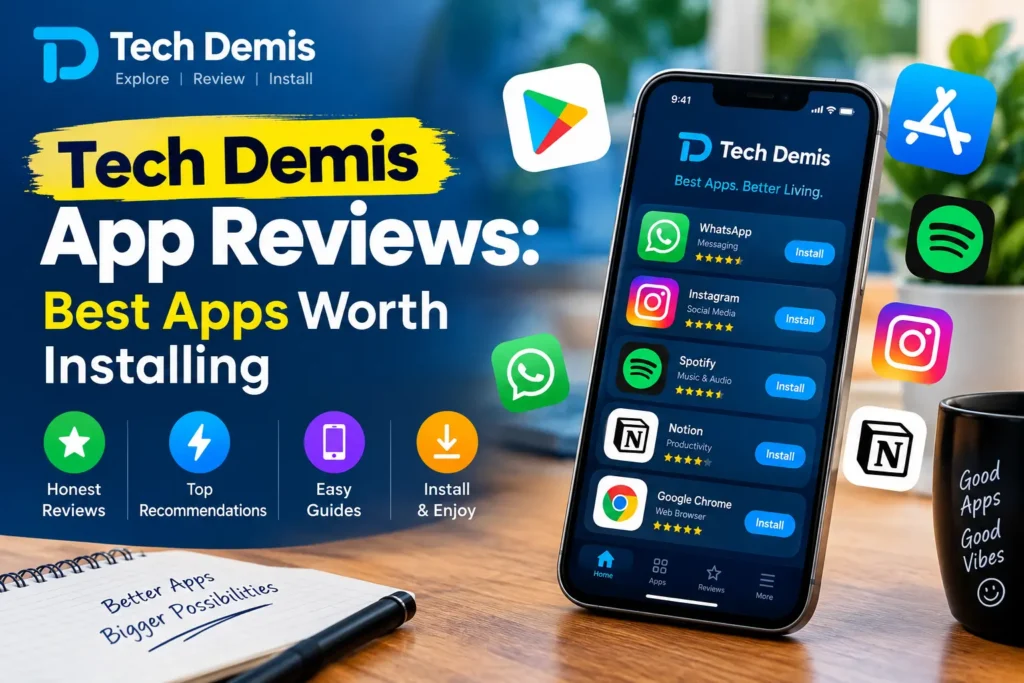
Every year, hundreds of thousands of new apps flood the Google Play Store and the Apple App Store. Most of them are forgettable — clones, ad-stuffed utilities, or half-finished ideas that get abandoned within months. But a small percentage of apps genuinely change how people work, communicate, stay healthy, and manage their money. This is what Tech Demis App Reviews is built around: cutting through the noise to highlight the best apps worth installing right now, in 2026.
This guide is not a random top-ten list scraped together for clicks. It’s a category-by-category breakdown covering productivity, artificial intelligence, health and fitness, finance, entertainment, security, and everyday utilities — the kind of apps that earn a permanent spot on your home screen rather than being deleted after a week. Along the way, we’ll also cover what actually makes an app “worth installing,” how to evaluate apps like a reviewer would, and how to keep your device safe while trying new software.
Whether you’re an Android user, an iPhone owner, or someone who switches between both, this Tech Demis App Reviews guide aims to be the most complete, practical resource you’ll read this year on the best apps worth installing.
Table of Contents
- Why App Reviews Matter More Than Ever in 2026
- How Tech Demis App Reviews Evaluates Apps
- Best Productivity Apps Worth Installing
- Best AI Apps Worth Installing
- Best Health and Fitness Apps Worth Installing
- Best Finance and Money Management Apps
- Best Entertainment and Media Apps
- Best Security and Privacy Apps
- Best Utility Apps You Didn’t Know You Needed
- Best Apps for Small Businesses and Freelancers
- How to Safely Download and Install New Apps
- Google Play Store and App Store Guidelines You Should Know
- Pricing Models: Subscription vs One-Time Purchase vs Freemium
- Best New App Categories Gaining Traction in 2026
- Common Mistakes People Make When Choosing Apps
- Final Verdict: The Apps Actually Worth Your Storage Space
- Frequently Asked Questions
1. Why App Reviews Matter More Than Ever in 2026
The app economy has matured. A decade ago, discovering good apps meant browsing “featured” lists inside the app store itself. Today, discovery mostly happens through search, word of mouth, and dedicated review sites like Tech Demis. That shift matters for a simple reason: app stores are commercial platforms, and their “top charts” often reflect marketing budgets and install incentives more than genuine quality.
That’s where independent app reviews come in. A trustworthy review site tests an app across multiple dimensions — usability, privacy practices, pricing fairness, update frequency, and long-term reliability — instead of just reporting a star rating that can be manipulated. In 2026, with AI-generated apps and clones appearing faster than ever, this kind of scrutiny has become essential rather than optional.
Search demand data backs this up. Queries like best apps 2026, top mobile apps, and must-have apps have grown steadily year over year, showing that people don’t want more choice — they want better curation. That’s the exact gap Tech Demis App Reviews exists to fill.
2. How Tech Demis App Reviews Evaluates Apps
Before recommending anything, it helps to know the criteria behind the recommendation. Here’s the framework used throughout this guide:
- Real-world usefulness — Does the app solve an actual daily problem, or is it a novelty that wears off after a week?
- Privacy and data handling — What permissions does it request, and are they proportionate to its function?
- Pricing transparency — Are subscriptions, in-app purchases, and free-tier limits clearly disclosed?
- Update cadence — Is the app actively maintained, or has development gone quiet?
- Cross-platform availability — Does it work well on both Android and iOS, and does it sync across devices?
- Offline functionality — Can core features work without a constant internet connection?
- User feedback over time — Not just launch-week reviews, but sentiment six to twelve months after release.
Apps that score well across most of these categories make it onto our lists. Apps that fail on privacy or pricing transparency are excluded, no matter how popular they are.
3. Best Productivity Apps Worth Installing
Productivity apps remain the single most searched category in the “best apps” space, and for good reason — small efficiency gains compound daily. Here are the standouts.
Notion
Notion continues to be the most flexible workspace app available, combining notes, databases, task management, and wikis in a single tool. Its 2026 offline mode finally makes it usable without a constant connection, which was one of its biggest long-standing complaints. It suits students, teams, and solo creators equally well, though the learning curve can be steep for first-time users.
Todoist
For people who want simplicity over complexity, Todoist remains the benchmark to-do app. Its natural-language input — typing something like “Submit report Friday at 5pm” and having it auto-schedule — is still one of the smoothest implementations in the category. It’s lightweight, fast, and doesn’t try to be everything at once.
Trello
Trello’s board-and-card system is ideal for visual thinkers and small teams that don’t need the complexity of full project management suites. It integrates well with other tools and remains one of the easiest apps to onboard new team members onto.
Google Workspace (Docs, Sheets, Drive)
Not flashy, but essential. Google Workspace apps remain the default for collaborative document editing, largely because of their real-time syncing and near-universal compatibility. For anyone working across multiple devices, this is still a non-negotiable install.
Obsidian
For people who prefer owning their data locally rather than relying entirely on the cloud, Obsidian’s markdown-based note system with local vault storage has grown a loyal following. Its sync add-on has become notably more stable, making it a legitimate daily driver rather than just a hobbyist tool.
Verdict: If you only install one productivity app this year, choose based on your workflow style — Notion for flexibility, Todoist for simplicity, or Obsidian if data ownership matters to you.
4. Best AI Apps Worth Installing
AI apps have gone from novelty to necessity faster than almost any other category in app store history. The key, though, is picking a small number of AI tools that each do one job well rather than downloading every AI-branded app that appears in your feed.
A General AI Assistant
Whether it’s a conversational assistant for writing, research, coding help, or everyday questions, having one strong general-purpose AI assistant installed is the foundation most other AI usage builds on. The value comes from depth of use — learning one assistant well tends to be far more productive than switching between several.
AI Research Tools
Dedicated AI research assistants that synthesize information from multiple sources and provide citations have become genuinely useful for students, analysts, and anyone doing frequent fact-finding. They save the step of manually opening a dozen browser tabs.
AI Coding Assistants
For developers, AI-powered coding tools embedded directly into editors have shifted from “nice to have” to standard practice. They speed up boilerplate work, catch bugs earlier, and help less experienced developers ramp up faster.
AI Voice and Transcription Tools
AI-driven transcription and voice-generation apps have matured considerably. Meeting-note apps that automatically summarize calls and extract action items are now common in professional settings, saving hours of manual note-taking each week.
AI Image and Design Tools
AI image generation apps remain popular for marketers, hobbyists, and small business owners who need quick visual content without hiring a designer for every asset.
A word of caution: the AI app category is also where the most low-quality “wrapper” apps exist — thin interfaces built on top of someone else’s AI model, often charging a subscription for something available for free elsewhere. Before installing an AI app, check whether it’s built on a proprietary model with real differentiation, or whether it’s simply repackaging a free API.
5. Best Health and Fitness Apps Worth Installing
Health tracking apps have improved significantly in accuracy and design over the past couple of years, particularly around sleep tracking and personalized recommendations.
Step and Activity Trackers
Modern fitness tracking apps now offer noticeably more accurate step counts and richer sleep insights than earlier versions, especially when paired with a wearable device. The redesigns focus on clarity — fewer confusing metrics, more actionable summaries.
Sleep Tracking Apps
Smart alarm apps that track sleep cycles and wake users during a lighter sleep phase have become a genuinely popular category. Long-term trend tracking helps users identify patterns tied to stress, screen time, or caffeine intake.
Meditation and Mental Wellness Apps
Guided meditation apps that adapt their programs based on usage patterns have made mental wellness tools feel less generic. A free adaptive plan that adjusts over time is a meaningful improvement over static, one-size-fits-all meditation courses.
Nutrition and Habit Tracking Apps
Habit and nutrition tracking apps continue to be popular, particularly ones that simplify logging through barcode scanning or photo recognition rather than manual entry, which remains the biggest reason people abandon nutrition apps.
Verdict: Choose one tracker that integrates with your existing devices rather than running three overlapping health apps that each capture partial data.
6. Best Finance and Money Management Apps
Personal finance apps have become significantly more automated, reducing the manual work of budgeting.
Budgeting Apps
Modern budgeting apps automatically categorize transactions and flag unusual spending, replacing the spreadsheet-based budgeting many people relied on for years. The best ones sync across all linked accounts in near real time.
Investment and Micro-Investing Apps
Apps that let users invest small, recurring amounts automatically have made investing feel less intimidating for beginners. Transparency around fees is the most important thing to check here — some platforms bury costs that eat into small investment returns disproportionately.
Digital Wallets and Payment Apps
Digital wallet apps remain essential for quick, contactless payments and peer-to-peer transfers. Security features like biometric locks and transaction alerts should be considered mandatory, not optional, when choosing one.
Verdict: Prioritize finance apps with strong encryption and a clear, published privacy policy — this is one category where cutting corners on security has real financial consequences.
7. Best Entertainment and Media Apps
Music Streaming Apps
Competition between major music streaming apps has pushed personalization features forward significantly, with recommendation algorithms narrowing the gap between platforms. Choosing between them now often comes down to catalog exclusives and social features rather than core functionality.
Podcast Apps
Dedicated podcast apps with strong cross-device sync remain the preferred choice for regular podcast listeners, offering better organization and playback controls than built-in players.
Streaming and Live TV Apps
For cord-cutters, the streaming app landscape has grown more competitive, with AI-driven recommendations and better 4K HDR support becoming standard rather than premium features. Sticking to official, reputable apps is important here — unofficial streaming apps are one of the most common sources of malware on both Android and iOS sideloaded installs.
8. Best Security and Privacy Apps
This is arguably the most important category on this entire list, and the one most people underinvest in.
Password Managers
An open-source, cross-platform password manager is one of the highest-impact apps anyone can install. Reusing passwords across accounts remains one of the leading causes of account compromise, and a password manager eliminates that risk almost entirely with minimal effort.
Encrypted Messaging Apps
End-to-end encrypted messaging apps have become the default recommendation for anyone concerned about message privacy. Even for people who don’t consider themselves “privacy-focused,” the encryption happens transparently in the background with no real usability trade-off.
VPN Apps
A reputable VPN app is worth installing for anyone who regularly uses public Wi-Fi. The key word is “reputable” — free VPN apps with vague privacy policies are frequently worse for your privacy than using no VPN at all, since some free VPN providers monetize by logging and selling user data.
File and Storage Cleaners
Built-in file management and storage-cleaning apps help free up device space without needing third-party “cleaner” apps, many of which request excessive permissions relative to their function.
9. Best Utility Apps You Didn’t Know You Needed
Beyond the big categories, a handful of smaller utility apps consistently earn praise for solving specific annoyances:
- QR code scanners with no ads and no unnecessary permissions
- Offline translation apps for travel, which work without a data connection
- Document scanner apps that turn a phone camera into a portable scanner with OCR text recognition
- Calendar apps with better time-zone handling for remote teams
- Cloud backup apps that automatically archive photos and documents without manual uploads
These aren’t glamorous, but they’re the kind of apps that quietly save time every single day — exactly the type of “best apps worth installing” that rarely make flashy top-ten lists but consistently earn a permanent spot on people’s phones.
10. Best Apps for Small Businesses and Freelancers
Freelancers and small business owners have their own set of app needs that deserve separate mention.
Invoicing and Payment Apps
Simple invoicing apps that let freelancers send professional invoices and accept payments directly have removed a huge amount of administrative overhead for solo operators.
Time Tracking Apps
Automatic time-tracking apps that categorize work by project help freelancers bill accurately without manually starting and stopping timers all day.
Team Communication Apps
For small teams, lightweight communication apps that combine chat, file sharing, and basic project tracking reduce the need for multiple disconnected tools.
E-Commerce and Shopping Management Apps
For business owners selling online, shopping platform apps have added smarter inventory prediction and city-specific promotional tools, making it easier to run lean without a dedicated operations team.
11. How to Safely Download and Install New Apps
Even the best apps worth installing can pose a risk if downloaded incorrectly. Follow these steps before installing anything new:
- Stick to official app stores: Google Play and the Apple App Store both run automated and manual review processes that catch a significant share of malicious apps before they reach users.
- Check the developer name, not just the app name: Scam apps frequently copy the icon and name of a popular app while using a slightly different developer account.
- Read the permissions requested: A flashlight app that asks for access to your contacts and location is a red flag.
- Check recent reviews, not just the average rating: A sudden drop in review quality often signals a recent update introduced ads, malware, or broken functionality.
- Look at the last update date: Apps that haven’t been updated in over a year may no longer be actively maintained or secured against newer vulnerabilities.
- Avoid sideloading unless necessary: Installing APKs from outside the Play Store bypasses Google’s built-in protections and should only be done from sources you fully trust.
12. Google Play Store and App Store Guidelines You Should Know
Both major app stores publish detailed developer guidelines, and understanding them helps you evaluate whether an app is playing by the rules.
- Google Play Developer Program Policies require clear disclosure of data collection practices through a Data Safety section on every app listing, restrict deceptive behavior like fake reviews or misleading install counts, and prohibit apps that request permissions unrelated to their core functionality.
- Apple’s App Store Review Guidelines similarly mandate App Privacy labels (often called “nutrition labels” for apps), require explicit user consent for tracking under Apple’s App Tracking Transparency framework, and reject apps that duplicate existing functionality without adding meaningful value (“spam” apps).
- Both platforms restrict misleading subscription practices, including hidden auto-renewal terms and free-trial dark patterns, following regulatory pressure in multiple countries.
- Content policies on both stores prohibit apps that facilitate harassment, spread misinformation, or violate intellectual property rights.
As a user, you can check an app’s Data Safety section (on Android) or App Privacy label (on iOS) before installing — both are found directly on the app’s store listing page. If an app requests far more data than its function requires, that mismatch is often visible right there before you even hit “Install.”
13. Pricing Models: Subscription vs One-Time Purchase vs Freemium
Understanding how an app makes money tells you a lot about whether it’s worth installing long-term. Here’s a breakdown of the three dominant models in 2026 and what to watch for in each.
Subscription Apps
Subscriptions remain the dominant revenue model for productivity, fitness, and AI apps. The advantage is continuous development — subscription revenue funds ongoing updates and support. The downside is subscription fatigue: the average smartphone user now juggles several overlapping paid subscriptions without realizing the combined monthly cost. Before subscribing, check whether the app offers an annual plan (usually 20–40% cheaper than monthly) and whether it’s easy to cancel directly from the app store rather than requiring an email to customer support — the latter is often a sign of intentionally difficult cancellation, a practice regulators in several regions have started cracking down on.
One-Time Purchase Apps
One-time purchase apps have become rarer but still exist in categories like document scanning, file management, and some niche utilities. They tend to appeal to users who dislike recurring charges, though buyers should check whether major future updates will require a separate purchase (“paid upgrade”) rather than being included.
Freemium Apps
Freemium remains the most common model for messaging, note-taking, and cloud storage apps. The core functionality is free, with paid tiers unlocking storage limits, advanced features, or ad removal. The key question to ask before relying on a freemium app long-term: is the free tier genuinely usable, or is it deliberately crippled to force an upgrade? Apps like Todoist and Notion strike this balance reasonably well, offering free tiers that remain functional for individual use.
Ad-Supported Apps
Ad-supported apps are common in gaming and casual utility categories. They’re worth installing only when the ad load is reasonable — frequent full-screen interstitial ads or ads that block core functionality are a clear signal to look for a paid alternative instead.
14. Best New App Categories Gaining Traction in 2026
A few emerging categories are worth watching, even if they haven’t fully matured into “must-have” status yet.
On-Device AI Apps
A growing number of apps now run AI models directly on the device rather than sending data to the cloud, improving both privacy and response speed. This is especially useful for tasks like photo editing, real-time translation, and basic writing assistance, where an internet connection previously was a hard requirement.
Digital Wellbeing and Screen-Time Apps
As concerns about smartphone overuse continue, screen-time management apps have moved beyond simple usage charts toward active intervention — blocking distracting apps during set focus hours, or gamifying reduced usage with streaks and rewards.
Micro-Learning Apps
Short-form educational apps that deliver lessons in five-to-ten-minute sessions have grown quickly, particularly for language learning and professional skill-building, catering to people who want structured learning without the commitment of a full course.
Family Safety and Parental Control Apps
With more households managing multiple connected devices, parental control apps that combine screen-time limits, content filtering, and location sharing into a single dashboard have become increasingly popular among parents of school-age children.
15. Common Mistakes People Make When Choosing Apps
- Chasing trending apps instead of useful ones: Viral apps often have a short shelf life; utility outlasts hype.
- Installing multiple apps that do the same job: This fragments your data and wastes storage — pick one tool per task and commit to it.
- Ignoring subscription costs that stack up: Five apps at $4.99/month each adds up to real money over a year; audit your active subscriptions periodically.
- Not reading permission requests: Most people tap “Allow” without checking why an app needs a given permission.
- Downloading from unofficial sources: Third-party APK sites are the most common vector for malware disguised as popular apps.
- Never uninstalling unused apps: Dormant apps still consume storage and, in some cases, continue running background processes that drain battery.
16. Final Verdict: The Apps Actually Worth Your Storage Space
If you take away one thing from this Tech Demis App Reviews guide, let it be this: the best apps worth installing are rarely the ones with the flashiest marketing. They’re the ones that solve a real problem, respect your data, and keep getting better with each update rather than getting more bloated.
For most people, a lean, well-chosen set of apps beats a phone full of forgotten downloads — one solid productivity app, one AI assistant, one password manager, one finance app, and a couple of category-specific tools for health or entertainment. That’s usually enough to cover 90% of daily needs without the clutter.
We’ll keep updating this list as new apps launch and existing ones evolve, because “best apps worth installing” isn’t a static title — it’s a moving target that depends on how well an app keeps its promises over time.
17. Frequently Asked Questions
What makes an app “worth installing” according to Tech Demis App Reviews?
An app earns that label when it solves a genuine problem, handles user data responsibly, is actively maintained, and offers pricing that’s clearly disclosed upfront.
Are free apps as good as paid ones? Often, yes — especially for password managers, note-taking, and messaging apps, where strong free tiers exist. Paid apps tend to be worth it mainly for advanced features, ad removal, or extra storage.
Is it safe to download apps outside the Play Store or App Store?
Generally, no. Sideloading bypasses built-in security review processes and significantly raises the risk of installing malware. Stick to official stores unless you have a specific, trusted reason not to.
How often should I review the apps installed on my phone?
A quarterly review is a good habit — uninstall anything unused for more than a month, check for apps with excessive permissions, and audit any recurring subscriptions.
Do all the apps mentioned here work on both Android and iOS?
Most of the apps in this guide are available on both platforms, though feature parity can vary slightly. Always check the current app store listing for platform-specific details before installing.
How does Tech Demis App Reviews decide which apps make the list?
Every app referenced in this guide is evaluated against the same framework outlined in Section 2: real-world usefulness, privacy and data handling, pricing transparency, update cadence, cross-platform availability, and long-term user sentiment. Apps that fail on privacy grounds or use deceptive pricing are excluded regardless of popularity or install numbers.
What should I do if an app I use gets acquired or shuts down?
Export your data immediately if the app provides that option, and start evaluating a replacement before the shutdown date rather than after. Apps that support standard export formats (CSV, JSON, or Markdown) make this transition far easier than proprietary formats that lock your data in.
Are AI apps safe to use with sensitive personal or business data?
It depends entirely on the app’s data policy. Before entering sensitive information into any AI app, check whether conversations are used to train future models, whether data is stored indefinitely, and whether the company has published a clear retention policy. Reputable AI apps disclose this directly in their privacy settings.
How many apps should the average person realistically have installed?
There’s no fixed number, but a useful mental model is one strong app per major task: one for tasks and notes, one for messaging, one for finance, one for health tracking, one password manager, and one or two entertainment apps. Beyond that, most additional installs start producing diminishing returns and unnecessary clutter.