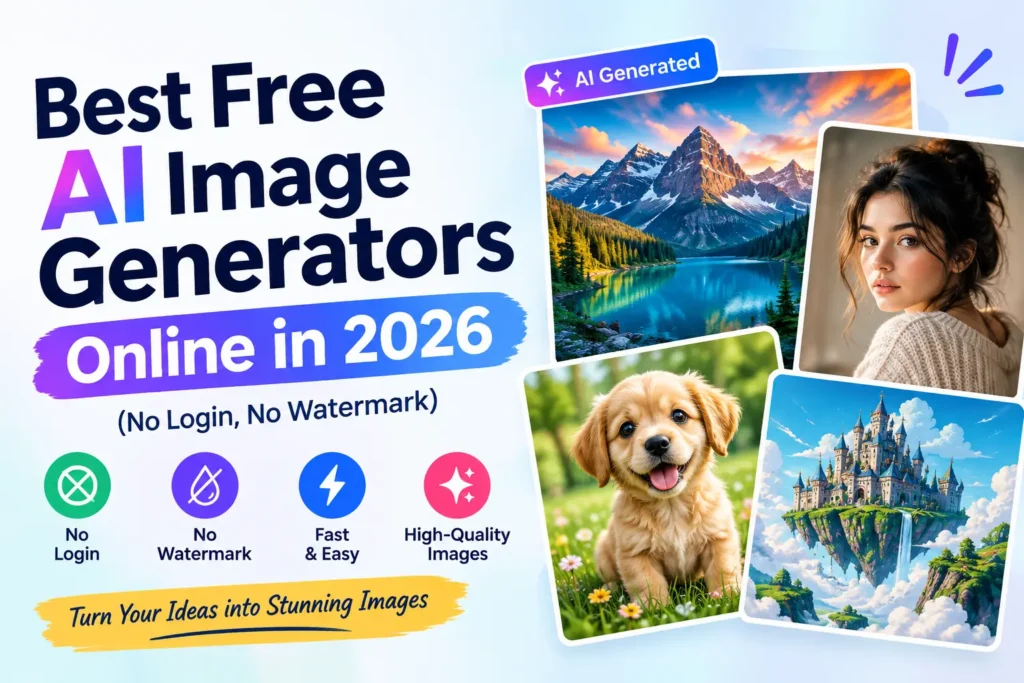
“Free AI image generator” has become one of the most crowded, most inconsistently reviewed categories in AI tooling. Search it and you’ll find dozens of near-identical roundup articles, each citing slightly different daily limits for the same tools — a sign of exactly the kind of templated, unverified content we’ve flagged before in our review of Kongotech.org. We cross-checked multiple independent sources rather than trusting any single list, and here’s what’s actually consistent across them.
Is There a Truly Free AI Image Generator With No Login?
Yes — and the one tool nearly every independent source agrees on is Perchance. It runs entirely in your browser, asks for no account, applies no watermark, and publishes no fixed daily cap. The tradeoff is output resolution and polish, which trails behind the paid-tier-adjacent tools below. If “free, no account, no limits” is your only requirement, Perchance is the most consistently recommended starting point across the sources we checked.
Raphael AI shows up almost as often as Perchance’s closest competitor — built on the open FLUX.1 model, no sign-up required, and generally rated stronger specifically for photorealistic output.
What’s the Best Free Option If I Don’t Mind Creating an Account?
Microsoft Designer (Bing Image Creator) is the most commonly recommended pick once you’re willing to sign in. It runs on DALL-E 3, produces no watermark, and offers a daily allotment of faster “boosted” generations (commonly cited around 15/day) before falling back to slower generation — still free, just not instant.
Google’s Gemini app, via its Nano Banana and Nano Banana Pro image models, is increasingly cited as a top pick for a specific reason: consistency and legible text rendering inside generated images, an area where many competing tools still struggle. Free daily limits are commonly cited in the range of 20 generations per day inside the Gemini app, though exact numbers shift as Google adjusts the product.
Leonardo.ai consistently ranks as a strong free option for anyone who wants more creative control and commercial-use output, typically offering a daily token allowance (commonly cited around 150 Fast Tokens, roughly 20 images) that resets every 24 hours.
Which Tool Is Best for Putting Readable Text Inside an Image?
This is a genuinely useful way to narrow the field, because most AI image tools still struggle to render legible text — posters, social graphics, and infographics with actual readable words inside them. Ideogram is the most consistently cited leader here, though its free tier is capped at a limited weekly allowance rather than unlimited daily use. Google’s Nano Banana Pro is frequently cited as the strongest free-tier alternative for the same use case.
Which Tools Are Best for Commercial Use?
If you need images for client work, a product, or anything you’ll sell, licensing clarity matters more than raw image quality. Adobe Firefly is the most consistently recommended option here, offering a defined free monthly credit allowance (commonly cited around 25 credits) with the clearest commercial-use licensing terms among the free tools covered. Several sources specifically caution that tools like Recraft and Playground AI, while watermark-free, may make your generated images public by default in exchange for free access — worth checking directly before using them for client or commercial work.
A Quick Comparison
| Tool | Login Required | Watermark | Best For |
|---|---|---|---|
| Perchance | No | No | Unlimited, no-account generation |
| Raphael AI | No | No | Photorealism without signing up |
| Bing Image Creator | Yes (Microsoft) | No | DALL-E 3 quality, generous daily use |
| Gemini (Nano Banana) | Yes (Google) | No | Text-in-image accuracy, consistency |
| Leonardo.ai | Yes (email) | No | Commercial use, creative control |
| Ideogram | Yes | No | Best-in-class text rendering |
| Adobe Firefly | Yes | No | Clearest commercial licensing |
| Craiyon | No | Small logo | Quick, no-fuss drafts |
Treat the specific daily limits in this table as a general guide rather than a fixed promise — nearly every source we checked cited slightly different numbers for the same tools, and these limits change as providers adjust their free tiers.
Are These Tools Actually Safe to Use?
Mostly, with a few things worth checking before you commit to one regularly:
- Read what happens to your prompts and output. Several tools make free-tier images public by default, which matters if you’re generating anything sensitive or client-related.
- Check content restrictions before relying on a tool for a specific project. Some tools (Bing Image Creator is commonly cited as the strictest) block a wide range of prompts, including some mainstream art and fashion requests, while others are considerably more permissive.
- Understand that “free” and “unlimited” aren’t always the same claim. A tool can be genuinely free with no payment ever required while still capping you at a fixed number of images per day — read the actual limit, not just the word “free” in a tool’s marketing.
How Does This Compare to Using ChatGPT or Gemini for Images?
If you’re already paying for a general-purpose AI assistant, it’s worth knowing that image generation is bundled into several of them rather than requiring a separate tool. Our full ChatGPT review covers its built-in image generation as part of a broader feature set, and our comparison of Perplexity, ChatGPT, and Gemini breaks down how Gemini’s ecosystem integration extends to image tools as well. If you’re already subscribed to one of these for other reasons, it’s worth checking what’s included before adding a dedicated image generator on top.
Bottom Line
For genuinely free, no-account image generation, Perchance and Raphael AI are the most consistently recommended starting points across independent sources. If you’re fine creating an account, Microsoft Designer, Leonardo.ai, and Google’s Gemini app each lead in a different specific area — generous free quality, creative control, and text-in-image accuracy, respectively. The “best” one depends entirely on what you’re making and whether you need commercial rights to use it.
Frequently Asked Questions
What is the best free AI image generator with no sign-up?
Perchance and Raphael AI are the two most consistently recommended options across independent sources for genuinely free, no-account image generation with no watermark.
Are free AI image generators actually watermark-free?
It varies by tool. Perchance, Raphael AI, Leonardo.ai, Bing Image Creator, and Adobe Firefly are commonly cited as watermark-free on their free tiers, while tools like Craiyon and Meta AI’s image tool may apply a visible or invisible watermark depending on the platform and region.
Which free AI image generator is best for commercial use?
Adobe Firefly is most frequently recommended for commercial projects due to its clearer licensing terms, though it’s worth double-checking a tool’s current terms of service before using any free-tier image commercially.
Can I use a free AI image generator without creating an account?
Yes — Perchance, Raphael AI, and Craiyon are the most commonly cited tools that require no account at all, unlike Bing Image Creator, Leonardo.ai, and Gemini, which require signing in.
Which AI image generator is best for images with readable text?
Ideogram is the most consistently cited leader for accurate, legible text inside generated images, with Google’s Nano Banana Pro frequently mentioned as a strong free-tier alternative.