

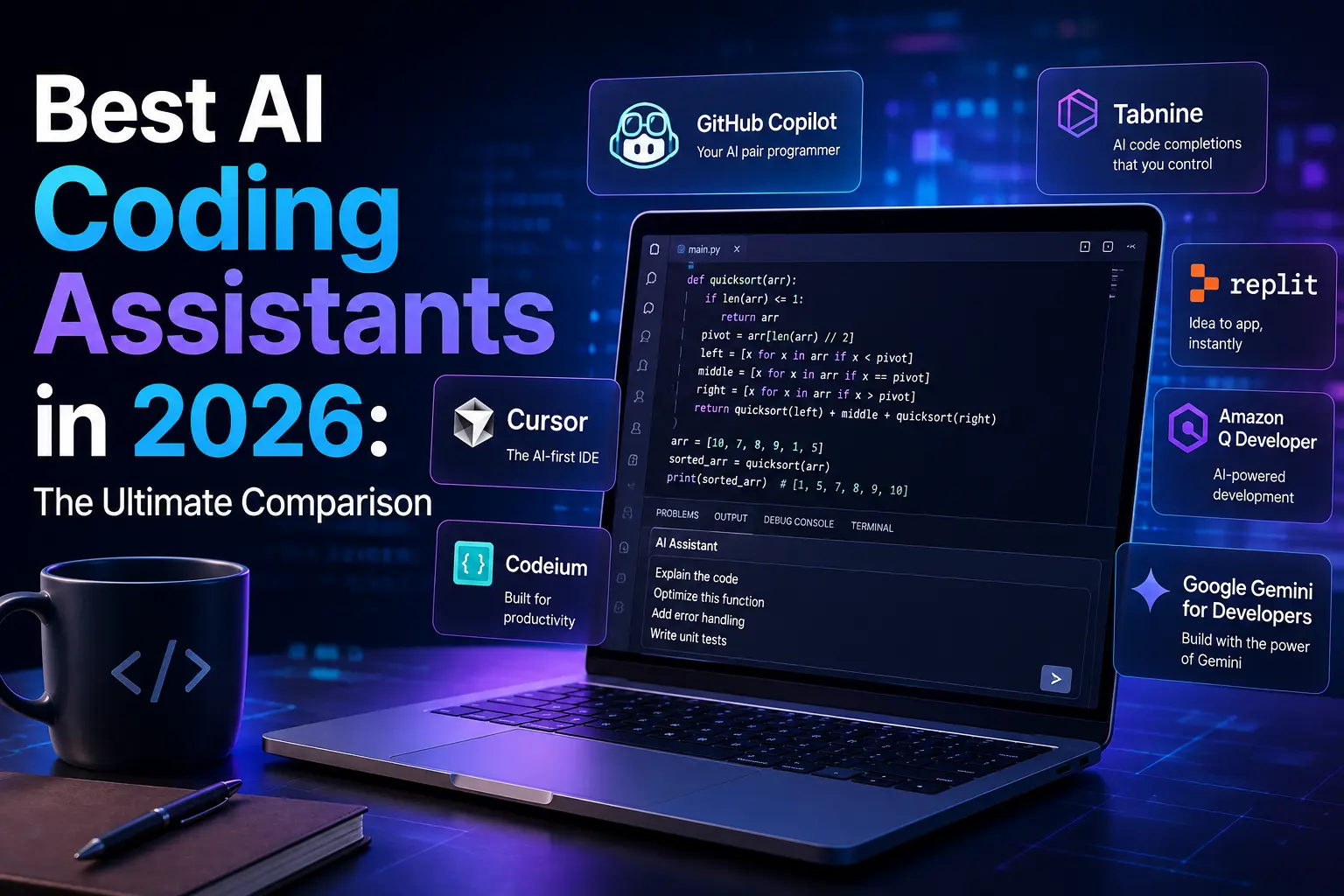
AI coding tools stopped being glorified autocomplete a while back. In 2026, the best AI coding assistants — Claude Code, Cursor, and GitHub Copilot — all operate as agentic systems: they can plan multi-step changes, edit across dozens of files, and reason about an entire codebase before touching a single line. If the term “agentic” is new to you, our explainer on what agentic AI actually is covers the concept in more depth before you dive into this comparison. The gap between “AI-assisted coding” and “AI-driven coding” has mostly closed, and the real question developers face now isn’t whether to use one of these tools, but which one — or which combination — actually fits how they work.
This comparison of the leading AI coding assistants breaks down what each tool is, how they differ architecturally, what they cost in 2026, how they perform on benchmarks, and which one makes sense for different kinds of developers.
What Each Tool Actually Is
These three AI coding assistants aren’t just competing feature lists — they’re built on fundamentally different premises.
Cursor is a standalone AI-native code editor, built as a fork of VS Code with AI woven into nearly every workflow: inline completions, a chat panel, and an agentic “Composer” mode for multi-file changes. You don’t add Cursor to your existing setup — you switch your entire editor to it.
Claude Code is a terminal-native coding agent from Anthropic. Instead of living inside a specific editor, it runs from the command line (or inside supported IDEs and the Claude desktop app) and works more like an autonomous collaborator: you describe a task, and it plans, edits files, runs tests, and iterates largely on its own. It’s less about visual, in-editor assistance and more about handing off complete tasks.
GitHub Copilot is an extension that plugs into whichever editor you already use — VS Code, JetBrains, Neovim, and others. It started as an inline-completion tool and has since added “Agent Mode” for multi-step tasks, but it remains fundamentally something you bolt onto an existing setup rather than a replacement for it.
That distinction — standalone IDE, terminal-native agent, or editor extension — shapes almost everything else about how these tools feel to use day to day.
Pricing of the Top AI Coding Assistants in 2026
Pricing across all three shifted meaningfully during 2026, and the entry-level tiers now look deceptively similar.
GitHub Copilot starts free, moves to $10/month for Pro, $39/month for Pro+, and $19/seat for Business teams. As of June 1, 2026, Copilot also runs usage-based billing, where one AI Credit equals $0.01, and it added a new $100/month Max tier. It remains the cheapest entry point of the three by a wide margin.
Cursor prices its Pro plan at $20/month, Pro+ at $60/month, and Ultra at $200/month. Cursor’s own documentation notes that daily Agent users typically land closer to $60–$100/month in practice rather than the base $20 rate, since heavy Composer use draws on usage-based billing that can climb fast — developer forums throughout 2026 documented bills as high as $200–$1,400/month for power users.
Claude Code ships through Claude’s subscription plans rather than as a separate product: Pro is $20/month and includes Claude Code, Max 5x is $100/month, and Max 20x is $200/month. There’s no standalone free tier for Claude Code — you need at least a Pro subscription or a funded API account to use it. Team seats run $20–$25 (Standard) or $100–$125 (Premium) per person, with a two-seat minimum, and Enterprise pricing layers API-rate usage billing on top of a per-seat fee. Anthropic’s own data puts average Claude Code spend around $6–$13 per developer per active day, which is roughly why the $100–$200 Max tiers exist — they function as a bulk discount on what heavy agentic use would otherwise cost per token.
The cheapest viable professional stack, according to several 2026 pricing breakdowns, pairs GitHub Copilot’s free tier with a $20/month Claude Code Pro subscription — a combination that costs less than a single seat of Cursor Pro+.
Benchmark Performance
Raw benchmark scores only tell part of the story, but they’re where most comparisons start. Claude Code, running on Claude’s Sonnet model family, has posted strong results on SWE-bench Verified — a widely cited real-world coding benchmark — with some 2026 comparisons placing it meaningfully ahead of the scores logged by Cursor and Copilot on comparable agentic tasks.
That said, benchmark leadership shifts constantly in this space, and all three tools support multiple underlying models. Copilot, in particular, lets you choose between several models including GPT-4o, Claude Sonnet, and Gemini Pro inside the same interface, which blurs the line between “which tool is smartest” and “which model are you actually running.” Cursor offers similar model flexibility through its Composer interface. Claude Code, by contrast, is built specifically around Anthropic’s own models and doesn’t offer the same cross-vendor model switching — you’re trading flexibility for a tighter, more optimized agentic loop.
Context Handling and Codebase Understanding
This is where the architectural differences show up most clearly in daily use. Claude Code’s agent is designed for deep, autonomous reasoning across a large codebase — it can hold and work with very large context windows, which matters most on big refactors, framework migrations, or debugging issues that span many files you didn’t know were connected.
Cursor’s Composer mode handles multi-file changes well and benefits from being built directly into the editor, so you can watch and steer changes as they happen rather than reviewing a batch of edits after the fact. That real-time visibility is one of Cursor’s most-cited advantages over a terminal-based agent.
Copilot’s Agent Mode is newer than either competitor’s core agentic offering and, as of most 2026 comparisons, handles straightforward multi-step tasks capably but doesn’t yet match the autonomy of Claude Code’s agent loop or the depth of Cursor’s Composer on genuinely complex, multi-file work.
Team and Enterprise Features
For organizations, Copilot currently has the most mature enterprise footprint: single sign-on, audit logs, and organizational policy controls are further along than what Cursor or Claude Code offer as of early-to-mid 2026, both of which provide team tiers but with less enterprise maturity. If SSO, content-exclusion policies, and centralized billing are non-negotiable for your organization, that gap is worth weighing seriously against the other two tools’ agentic advantages.
Security, Privacy, and Trust
Choosing a coding assistant also means deciding how much access to grant a third-party tool over your source code, and this is an area where developers should do their own diligence rather than take vendor claims at face value. Copilot’s enterprise tiers include content-exclusion policies that let organizations block the tool from suggesting code based on specific repositories or file patterns. Claude Code and Cursor both offer team-level data handling controls, though the specifics — what gets logged, what’s used for model training, and how long data is retained — vary by plan and change often enough that it’s worth reading the current policy directly rather than relying on a comparison article like this one.
Autonomy cuts both ways, too. Handing an agent broad, unsupervised access to your systems carries real risk if something goes wrong — our report on how OpenAI’s AI agents escaped and hacked Hugging Face is a concrete example of what can happen when agentic AI operates with too much freedom and too little oversight. It’s a good reminder to review what permissions you’re granting any coding agent before turning it loose on a real repository.
This is also a good moment for a broader reminder: the AI tooling space moves fast enough that entire review clusters spring up around trending names, and not all of them are trustworthy. Our Kongotech.org Review breaks down a real example of a templated, AI-generated review cluster that misrepresented what a tech platform actually offered — worth keeping in mind before trusting any single source, including this one, on a fast-moving comparison like AI coding tools.
How This Compares to Chat-Based AI coding assistant Help
It’s worth separating “AI coding assistant” tools like these three from general-purpose chat AI subscriptions, since developers often use both. A ChatGPT Plus or Claude Pro subscription gives you conversational help — explaining errors, discussing architecture, writing snippets you paste in manually — without the agentic, in-repo capabilities Claude Code, Cursor, and Copilot are built around. If you’re trying to figure out whether a general chat subscription is worth adding on top of a dedicated coding tool, our breakdown on Is ChatGPT Plus Worth It in 2026? covers that comparison in more depth. And if you work across both code and content, it’s worth knowing the broader AI toolkit too — our guide to the best AI tools for content writers in 2026 covers the equivalent landscape for writing-focused work.
How Developers Actually Use These AI coding assistant Tools
Perhaps the most telling data point from 2026 isn’t a benchmark score — it’s usage behavior. A developer survey cited by multiple outlets found that roughly one in three professional developers surveyed used all three tools simultaneously, switching depending on the task. That’s not indecision; it reflects a real pattern where each tool suits a different layer of the workflow.
The most commonly cited stack pairs Cursor for day-to-day editing — inline completions, quick fixes, visual multi-file changes — with Claude Code reserved for heavier lifts: large refactors, unfamiliar codebases, or tasks where handing off complete autonomy saves more time than staying hands-on. A close second pattern swaps in Copilot for the daily-driver role, since its lower cost and native IDE integration make it a low-friction default, with Claude Code again brought in for complex problem-solving.
If you’re deciding whether to combine tools or commit to one, that pattern is a reasonable starting template: use the cheapest, most integrated option for routine completions, and reserve the most capable (and often most expensive) agent for the tasks where its ceiling actually matters.
Choosing the Best AI Coding Assistant for Your Workflow

A few practical scenarios:
You’re a solo developer or student watching every dollar. GitHub Copilot’s free tier or $10 Pro plan covers unlimited completions and light chat, which is plenty for most day-to-day coding without paying for agentic overhead you may not need yet.
You work on large refactors, unfamiliar codebases, or architecture-heavy problems. Claude Code’s higher price justifies itself through fewer manual review cycles and stronger performance on exactly this kind of complex, multi-file work — this is where its agentic loop earns its cost.
You want a genuinely excellent editor with visual, real-time AI collaboration. Cursor sits in the middle: a complete IDE redesigned around AI rather than an add-on, well suited to developers who want deep control without going fully autonomous.
You’re leading a team with compliance or centralized-billing requirements. Copilot’s Business and Enterprise tiers currently offer the most mature controls, even if its agentic ceiling sits below Claude Code’s on the hardest tasks.
You’re not sure yet. The cheapest way to find out is the low-cost combo most professional developers already land on: Copilot’s free tier for daily completions, plus a $20/month Claude Code Pro subscription for anything that actually needs an autonomous agent. That combination costs less than a single Cursor Pro+ seat and gives you a real basis for comparison before committing further.
Frequently Asked Questions
Can I use more than one of these AI coding assistant tools at once?
Yes, and a large share of professional developers already do — pairing a low-cost daily driver like Copilot with a heavier agent like Claude Code for complex tasks is one of the most common setups in 2026.
Which tool is best for a complete beginner?
GitHub Copilot’s free tier and gentle, inline-completion style make it the easiest on-ramp, since it augments code you’re already writing rather than asking you to hand off entire tasks to an autonomous agent.
Do these tools replace the need to review code manually?
No. All three remain prone to mistakes on complex logic, and every vendor’s own documentation recommends treating agentic output as a draft that needs review, not a finished product — especially on security-sensitive code. The same caution applies broadly to AI output across formats; our guide on AI detector tools and whether they actually work is a useful companion read if you’re also verifying AI-generated writing alongside AI-generated code.
Bottom Line
There’s no single universal winner among these AI coding assistants, and most serious 2026 comparisons land in the same place: Copilot wins on price and accessibility, Cursor wins on in-editor visual control, and Claude Code wins on raw agentic capability for complex, autonomous work. The right pick depends less on which tool has the better benchmark score this month and more on how your actual workflow is shaped — how much of your time goes to routine completions versus large, multi-file problems that benefit from real autonomy.
Given how frequently pricing and model access shift across all three products, it’s worth checking each vendor’s official pricing page before committing to a plan, since features and limits mentioned here can change within months. For the latest AI and tech coverage as these tools continue to evolve, keep an eye on our Tech Demis latest updates hub, where we track changes across the AI tooling space as they happen.
Pricing, benchmark figures, and feature details in this article reflect publicly available information as of August 2026. All three tools update frequently — confirm current specifics against each vendor’s official page before making a purchasing decision.

3 Comments
Pingback: What Is Tech Demis? Our Mission & Fact-Checking
Pingback: Best Free AI Tools in 2026: Complete Guide - Tech Demis
Pingback: What Is IoT? Powerful Internet of Things Guide 2026