
OpenAI now says over a billion people use ChatGPT every week, making it the most widely used AI assistant on the planet. But that popularity comes with a genuinely confusing pricing structure: six different tiers, a rapidly shifting model lineup, and features that get added or repositioned every few months. If you’re staring at the $20/month Plus button wondering whether it’s actually worth pulling out your card, this breakdown answers that directly — based on what each tier genuinely includes in 2026, not marketing copy.
The 2026 Pricing Structure, in Full
OpenAI currently runs six consumer and business tiers:
- Free ($0/month) — Entry-level access with tight limits
- Go (~$8/month) — A cheaper middle tier, rolled out globally after launching in India in August 2025
- Plus ($20/month) — The tier most people actually need
- Pro ($100–$200/month) — Split into two usage levels as of April 2026
- Business (~$25/user/month) — Team-focused, with SOC 2 compliance and SSO
- Enterprise (custom pricing) — Large-organization deployments
A notable change worth knowing about upfront: as of February 9, 2026, the Free tier in the US began including advertising. OpenAI states the ads are clearly labeled and don’t influence ChatGPT’s actual answers, but their presence is a real shift for anyone assuming “free” meant fully ad-free.
What You Actually Get With Free and Go
The Free tier gives you access to OpenAI’s current default model — GPT-5.5 Instant became the standard across every tier, including Free, on May 5, 2026, with a lighter “Instant Mini” version as the free-tier fallback. It’s genuinely fine for casual use: quick questions, simple note-taking help, occasional brainstorming. The catch is that its limits are tight enough to interrupt any real, sustained workflow within days if you use it regularly.
Go, at roughly $8/month, sits deliberately in between. It increases message volume, image creation, and memory length compared to Free, and became OpenAI’s fastest-growing plan globally almost immediately after launch — the price point alone explains a lot of that growth. What Go conspicuously doesn’t include is the list of features that actually matter for serious, professional-grade work: advanced reasoning models, Sora video generation, the Codex coding agent, Agent Mode, Deep Research, and Tasks. These aren’t minor nice-to-haves — they’re the specific capabilities that separate a decent chatbot from a genuine productivity tool.
What ChatGPT Plus Actually Includes
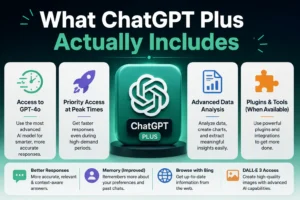
At $20/month, Plus has remained at the same price point for three years even as the feature list underneath it has expanded substantially — arguably making it a better value proposition today than when it launched. Current Plus access includes:
- Full access to OpenAI’s current model suite, including reasoning-focused “Thinking” modes for complex problems
- Deep Research — roughly 10 runs per month, letting the model conduct extended, multi-step research and produce a structured report rather than a single quick answer
- Sora — limited video generation access
- Codex — OpenAI’s coding agent, useful for developers who want AI assistance woven directly into a coding workflow
- Agent Mode — for multi-step, autonomous task completion, a capability we’ve covered in more depth in our guide on what agentic AI actually is
- Ad-free usage, unlike the current Free tier
- Advanced voice mode, image generation, and Custom GPTs
Generous usage limits come bundled in too — one detailed 2026 breakdown cites 160 messages every 3 hours on the primary model and 3,000 weekly messages on the reasoning-focused “Thinking” variant, numbers substantial enough to support genuinely heavy daily use without constantly hitting a wall.
The Honest Cost-Benefit Case
Here’s the calculation worth actually running rather than taking on faith: if ChatGPT saves you just one hour of work per week, and your time is worth $25 or more per hour, Plus pays for itself roughly five times over on that single hour alone. In practice, people using it regularly for research, writing, coding assistance, or document analysis typically report saving considerably more than that.
The jump from Free to Plus isn’t a marginal upgrade — several 2026 reviews describe the practical gap as “abysmal” in Free’s favor being closed, specifically because access to a genuine reasoning-capable model changes the quality of output for tasks that actually require multi-step thinking: data analysis, complex document writing, code generation, and structured problem-solving. Free and Go can’t meaningfully compete with Plus on these specific tasks, regardless of how generous their message limits get.
For writing-heavy use specifically, Plus’s Canvas feature — a dedicated space for editing and iterating on longer documents — is frequently cited as worth the subscription price on its own for anyone who regularly edits long-form content, on top of everything else included.
When Plus Is Overkill: Stick With Go Instead
Plus isn’t automatically the right answer for everyone. If your actual usage is light — a handful of questions per week, basic note-taking help, simple undergraduate-level writing support — the Go tier at roughly $8/month reasonably covers an estimated 80% of typical light-to-moderate use cases, according to several 2026 reviews. The sensible upgrade path many reviewers recommend: start on Free, move to Go once you hit its limits, and only jump to Plus once you’re specifically running into Go’s ceiling — hitting daily caps, or needing Deep Research for a substantial project like a thesis or in-depth report.
When You Should Skip Plus and Go Straight to Pro
Pro exists for a genuinely different kind of user, and it’s important not to over-buy here. At $100–$200/month depending on the specific tier (split into two usage levels since April 2026), Pro adds unlimited usage rather than Plus’s generous-but-capped limits, an exclusive top-tier model variant, a meaningfully larger context window (up to 1 million tokens on the $200 tier, versus Plus’s more limited window), and full, higher-quality Sora video access (4K, 90-second clips versus Plus’s capped, shorter output).
The consistent verdict across independent reviews: Pro only pays for itself if you can point to specific, recurring tasks it handles measurably better — extended chain-of-thought reasoning used daily, professional video generation work, or workloads that genuinely require the larger context window. For nearly everyone else, paying 5–10x more than Plus for headroom you won’t actually use is a poor value trade. One detail worth flagging for technical users specifically: none of the consumer plans, including Pro, include API credits — programmatic access through OpenAI’s API is billed entirely separately, so upgrading to Pro doesn’t save anything if API usage is your actual goal.
How ChatGPT Plus Compares to Competitors in 2026
This is worth a direct, honest note: ChatGPT is no longer the only serious option at this price point. Anthropic’s Claude and Google’s Gemini both offer comparable subscription tiers with their own distinct strengths, and which one is “worth it” increasingly depends on your specific workflow rather than a single universal answer. If you’re deciding between assistants rather than just deciding whether to pay for ChatGPT specifically, it’s worth evaluating based on the actual tasks you do most — coding, long-form writing, research, or multimodal work — rather than defaulting to whichever one you already have open in a browser tab.
Real-World Use Cases: Where Plus Makes the Biggest Difference
It helps to think in terms of specific tasks rather than abstract feature lists, since that’s ultimately what determines whether $20/month is worth it for you personally.
Students working on research-heavy assignments benefit most from Deep Research, which can pull together and structure information across multiple sources into something closer to a first draft than a simple answer — genuinely useful for a thesis chapter, a literature review, or a long-form report, though it shouldn’t replace your own critical reading and citation work.
Freelancers and content creators tend to get the most value from the combination of Canvas for editing long documents, image generation for quick visual assets, and the higher message ceiling that lets AI become part of a daily workflow rather than an occasional tool reserved for simple questions.
Developers experimenting with AI-assisted coding will find Codex genuinely useful for smaller, self-contained coding tasks and debugging, though heavier, production-grade coding workflows often benefit from dedicated coding-focused tools alongside or instead of ChatGPT specifically.
Small business owners exploring AI adoption for the first time often find Plus’s Agent Mode a practical entry point for automating repetitive, multi-step tasks — a theme we’ve explored in more depth in our guide on how AI is transforming small businesses.
If none of these describe your actual usage pattern, that’s a genuine signal Go or even Free might serve you just as well — the point of this breakdown is matching the tier to real usage, not defaulting to the middle-priced option because it sounds reasonable.
Our Verdict
For most people who use ChatGPT with any real regularity — daily or near-daily, for work, study, or serious personal projects — Plus at $20/month remains the correct default choice in 2026. It covers the overwhelming majority of real use cases at a price that typically pays for itself within hours of genuine use, and three years of stable pricing alongside an expanding feature set has made it a better deal over time, not a worse one.
Stick with Go if your usage is genuinely light. Consider Pro only if you can name the specific, recurring task that justifies a 5–10x price jump. And if you’re a student specifically weighing whether any paid AI subscription is worth it for coursework, it’s worth reading our related breakdown on using ChatGPT for studying effectively before deciding which tier actually matches how you’d use it.
Frequently Asked Questions
Is ChatGPT Plus worth $20 a month in 2026?
For most regular users, yes. Plus includes Deep Research, Sora, Codex, Agent Mode, ad-free usage, and access to reasoning-capable models with generous usage limits — a substantial gap over the Free and Go tiers for any task requiring genuine multi-step reasoning, research, or long-form writing.
What’s the difference between ChatGPT Go and Plus?
Go (~$8/month) increases message limits, image creation, and memory over Free, but excludes the features that matter most for serious work: advanced reasoning models, Deep Research, Sora, Codex, and Agent Mode. Plus ($20/month) includes all of these.
Is ChatGPT Pro worth the extra cost over Plus?
Only for specific, heavy use cases — daily use of extended reasoning modes, professional video generation, or workloads genuinely requiring Pro’s much larger context window. For typical daily use, Pro’s 5–10x price jump over Plus delivers headroom most users won’t actually use.
Does ChatGPT Free now include ads?
Yes, as of February 9, 2026, the Free tier in the US began showing advertising. OpenAI states ads are clearly labeled and don’t influence ChatGPT’s responses, but they represent a real change for anyone who previously used Free specifically because it was ad-free.
Does any ChatGPT subscription plan include API access?
No. API usage is billed separately on a pay-per-token basis regardless of which consumer plan you subscribe to, including Pro. If programmatic or developer access is your primary goal, subscribing to a higher consumer tier doesn’t provide any API cost savings.
Note: Pricing, model names, and feature details referenced in this article reflect publicly available information as of August 2026. OpenAI updates its pricing and model lineup frequently — always check OpenAI’s official pricing page for current details before subscribing.
Related Reads
- How to Use ChatGPT for Studying in 2026: The Complete Guide for Students
- What is Agentic AI? The Biggest Tech Trend of 2026 Explained
- Best AI Detector Tools in 2026: Do They Actually Work?
- Best AI Tools for Content Writers in 2026
For more AI news, honest tech reviews, and practical guides, visit Tech Demis.



[…] a general chat subscription is worth adding on top of a dedicated coding tool, our breakdown on Is ChatGPT Plus Worth It in 2026? covers that comparison in more depth. And if you work across both code and content, it’s […]
[…] chat subscription is worth paying for at all versus a narrower tool, our breakdown of Is ChatGPT Plus Worth It in 2026? goes deeper into that specific […]
[…] weighing whether a general chat subscription is worth the cost at all, our breakdown of Is ChatGPT Plus Worth It in 2026? goes deeper into that […]