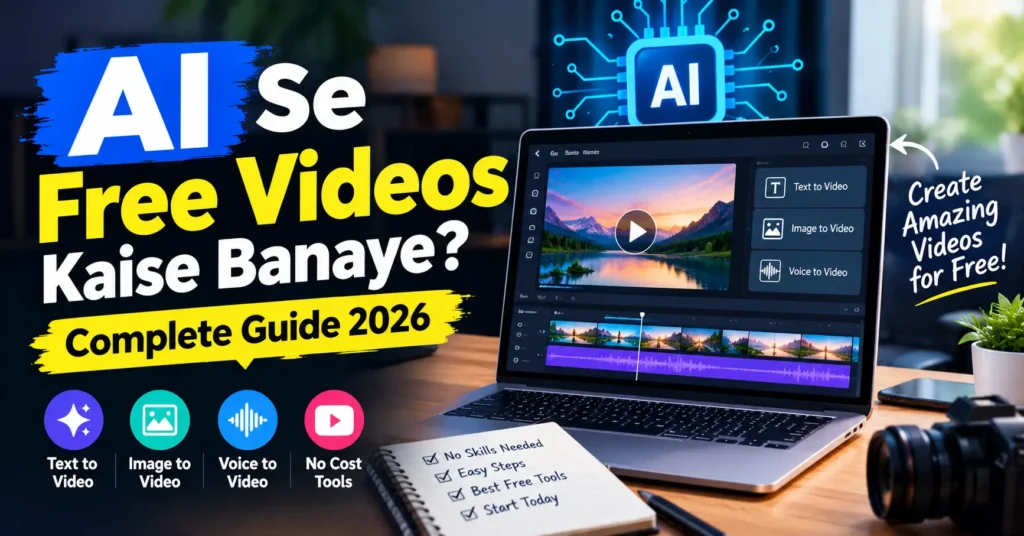
Aaj ke time mein video banana sirf professional video editor ya expensive camera wale logon ka kaam nahi raha. AI se free videos kaise banaye, ye question students, YouTubers, Instagram creators, bloggers, small businesses aur beginners ke beech kaafi popular ho raha hai.
AI tools ki help se aap ek simple idea ko script, voiceover, images, video clips, subtitles aur background music ke saath ek complete video mein convert kar sakte hain. Sabse interesting baat ye hai ki basic video banane ke liye hamesha expensive software ki zarurat nahi hoti.
Agar aap beginner hain aur soch rahe hain ki AI se free video kaise banaye, to is guide mein aapko step-by-step complete process milega.
AI Se Free Video Kaise Banaye? Quick Answer
AI se free video banane ka easiest method ye hai:
- Video ka topic select karein.
- AI se short script banwayein.
- Script ko scenes mein divide karein.
- AI video generator ya video editor mein script/images add karein.
- AI voiceover generate karein.
- Background music aur subtitles add karein.
- Video ko 9:16, 16:9 ya required format mein export karein.
- Final video ko manually check karke YouTube, Instagram ya Facebook par publish karein.
Aap alag-alag tasks ke liye different AI tools combine bhi kar sakte hain. Agar aapko overall AI tools ka broader collection chahiye, to Best Free AI Tools in 2026: Complete Guide bhi useful resource hai.
AI Video Kya Hota Hai?
AI video ek aisa video hota hai jisme artificial intelligence ka use video creation ya editing ke ek ya multiple parts mein kiya jata hai.
For example, aap AI ko prompt de sakte hain:
“Create a 30-second motivational video about waking up early.”
AI aapke idea ko script, scenes, visuals, voiceover aur captions ke format mein prepare karne mein help kar sakta hai.
AI video creation ke common parts hain:
- Script writing
- Text-to-video
- Image-to-video
- AI voiceover
- Automatic subtitles
- Background music
- Video editing
- Scene generation
- Video resizing
- Social media formatting
Iska matlab ye nahi hai ki har AI tool automatically perfect video bana dega. Best result ke liye AI generation ke baad human editing aur fact-checking important hai.
AI Se Free Videos Banane Ke Liye Kya Chahiye?
Aapko bahut expensive setup ki zarurat nahi hai.
Basic requirements:
- Smartphone ya computer
- Internet connection
- AI tool
- Video idea
- Script
- Images ya AI-generated visuals
- Voiceover
- Basic editing
Agar aap YouTube Shorts ya Instagram Reels banana chahte hain, to smartphone se bhi kaam ho sakta hai.
Long-form YouTube videos ke liye computer par editing karna generally easier hota hai.
AI Se Free Videos Kaise Banaye: Step-by-Step Method
Step 1: Sabse Pehle Video Topic Select Karein
AI video banane se pehle topic clear hona chahiye.
Example topics:
- AI tools for students
- Smartphone tips
- Cricket facts
- Travel destinations
- Motivational quotes
- Technology news
- Educational videos
- Product explainers
- How-to tutorials
- History facts
- Finance basics
Agar aap YouTube ke liye video bana rahe hain, to aisa topic choose karein jisme audience ka clear interest ho.
For example:
Weak topic:
“AI”
Better topic:
“5 Free AI Tools Every Student Should Know”
Second topic zyada specific hai. Isliye script aur video structure banana bhi easy hoga.
Step 2: AI Se Video Script Banwayein
Video ka next step script hai.
Aap kisi AI writing assistant ko simple prompt de sakte hain.
Example Prompt
Create a 60-second Hinglish YouTube Shorts script about
5 free AI tools for students.

Use simple language.
Start with a strong hook.
Give 5 useful tools.
Keep each point short.
End with a simple call to action.
AI aapko initial script de sakta hai.
Lekin generated script ko directly publish karne ke bajay read karein. Agar koi fact outdated, exaggerated ya incorrect ho, to usse correct karein.
Good AI Video Script Structure
Ek short video ke liye simple structure:
Hook → Problem → Solution → Examples → CTA
Example:
Hook:
“Student ho? Ye 5 free AI tools aapka study time half kar sakte hain.”
Main content:
Tool 1, Tool 2, Tool 3…
CTA:
“More useful AI tips ke liye follow karein.”
Agar aap specifically writing aur content creation ke liye AI tools explore karna chahte hain, to Best AI Tools for Content Writers in 2026 bhi check kar sakte hain.
Ye especially useful hai jab aap video scripts ke saath blog posts, captions, descriptions aur other written content bhi create karte hain.
Step 3: Script Ko Scenes Mein Divide Karein
Ye step AI video quality improve karne ke liye important hai.
Suppose aapki 60-second video hai.
Aap usse 6 scenes mein divide kar sakte hain:
| Scene | Duration | Content |
|---|---|---|
| Scene 1 | 0–5 sec | Hook |
| Scene 2 | 5–15 sec | Problem |
| Scene 3 | 15–25 sec | Solution 1 |
| Scene 4 | 25–40 sec | Solutions 2–3 |
| Scene 5 | 40–55 sec | Solutions 4–5 |
| Scene 6 | 55–60 sec | CTA |
Is approach ka advantage ye hai ki video random nahi lagta.
AI ko ek giant paragraph dene ke bajay scene-by-scene instructions dena often easier hota hai.
Step 4: Free AI Video Generator Use Karein
Ab aapko AI video creation tool ki zarurat hogi.
1. CapCut
Beginners ke liye CapCut ek practical option ho sakta hai. Iske AI video tools text ya script se video workflow start karne, voiceovers choose karne aur generated video ko edit karne ke options provide karte hain.
Aap workflow roughly is tarah rakh sakte hain:
AI Video Maker → Script → Style → Voice → Generate → Edit → Export
CapCut ke current AI video tools text prompts aur images se video generation ke options bhi provide karte hain. Availability kuch features/regions ke according change ho sakti hai.
Tech Demis ki Best Free AI Tools in 2026 guide mein bhi CapCut ko AI video creation ke liye cover kiya gaya hai.
2. Microsoft Clipchamp
Agar aapko AI generation ke saath basic video editing bhi karni hai, Clipchamp useful option hai.
Free personal version mein basic editing tools, free stock media aur up to 1080p export available hai. Free exports watermark-free bhi listed hain.
Clipchamp ka AI auto-compose feature uploaded photos aur videos ko analyse karke first-draft video bana sakta hai.
3. Canva
Canva beginners ke liye useful hai, especially jab aapko video ke saath thumbnails, presentations, social posts aur graphics bhi create karne hon.
Canva mein AI video-related apps aur tools available hain, lekin exact AI features aur limits tool/app ke according different ho sakti hain.
4. Google AI Video Tools
Google ke ecosystem mein AI video generation capabilities bhi available hain. However, video generation access free aur paid plans ke according change ho sakta hai.
Isliye kisi bhi Google AI video feature ko use karne se pehle apne account mein current availability check karna better hai.
Important: AI video tools ki free limits frequently change ho sakti hain. Kuch tools free credits dete hain, kuch features limited karte hain aur kuch advanced video generation paid plans mein rakhte hain.
Step 5: AI Voiceover Add Karein
Agar aap camera par appear nahi hona chahte, to AI voiceover useful hai.
Aap script ko AI voice mein convert kar sakte hain.
Voice select karte waqt dekhein:
- Male ya female voice
- Hindi/Hinglish pronunciation
- Speaking speed
- Natural tone
- Pauses
- Accent
- Emotion
Hinglish video ke liye extremely robotic voice avoid karein.
Example:
Instead of:
“Artificial intelligence is a technology which can help students.”
More natural Hinglish:
“AI students ke liye study ko kaafi easy bana sakta hai.”
Short sentences voiceover ko more natural bana sakte hain.
Agar aap AI-generated visuals create karna chahte hain, to Tech Demis ka Best Free AI Image Generators Online in 2026 guide useful rahega.
Is guide mein different free image-generation options, login requirements, watermark considerations, text rendering aur commercial-use concerns compare kiye gaye hain.
Step 6: AI Images Ya Video Clips Add Karein
Agar AI-generated video directly perfect nahi aa raha, to ek alternative workflow use karein:
AI Script → AI Images → Image-to-Video → Editing
For example, agar topic hai:
“Future of Artificial Intelligence”
To aap different scenes ke liye images create kar sakte hain:
- AI robot working with humans
- Futuristic city
- AI-powered computer
- Student using AI
- Future technology laboratory
Phir in images ko motion, zoom aur transitions ke saath video mein convert karein.
Ye method faceless videos ke liye especially useful ho sakta hai.
Step 7: Subtitles Zaroor Add Karein
Short-form videos mein captions bahut useful hote hain.
Reason simple hai: har viewer video ko sound ke saath nahi dekhta.
Isliye important lines ko subtitles mein show karein.
Example:
5 FREE AI TOOLS FOR STUDENTS
Phir:
1. AI Writing Tool
2. AI Research Tool
3. AI Presentation Tool
Captions short aur readable rakhein.
Ek screen par bahut zyada text bharne se video difficult to follow ho sakta hai.
Step 8: Background Music Add Karein
Background music video ko engaging bana sakta hai.
Lekin music voiceover se louder nahi hona chahiye.
Best practice:
Voice = Main
Music = Background
Educational videos mein low-volume background music usually enough hota hai.
Copyrighted songs use karne se pehle licensing rules check karein. Free music library available ho to uska use safer option ho sakta hai.
Step 9: Video Format Select Karein
Different platforms ke liye different aspect ratios useful hain.
YouTube Shorts / Instagram Reels
9:16
Recommended style:
1080 × 1920
YouTube Long Videos
16:9
Common format:
1920 × 1080
Instagram Feed
Square ya vertical formats use kiye ja sakte hain depending on the content.
Agar aap ek hi video multiple platforms par publish karna chahte hain, to vertical 9:16 version Shorts/Reels ke liye convenient hai.
Step 10: Final Video Manually Check Karein
Ye step skip mat karein.
AI generated video ko export karne se pehle check karein:
- Spelling
- Names
- Dates
- Numbers
- Voice pronunciation
- Subtitles
- Scene transitions
- Background music
- Visual errors
- AI-generated hands/faces
- Incorrect facts
- Copyright issues
- Watermark
- Video resolution
AI video perfect nahi hota.
Kabhi-kabhi AI wrong object, wrong text ya strange human movement create kar sakta hai.
Isliye final review human ko karna chahiye.
AI Se Free YouTube Video Kaise Banaye?
Agar aap YouTube channel start karna chahte hain, to simple workflow ye ho sakta hai:
Step 1
Topic research karein.
Step 2
AI se outline banwayein.
Step 3
Script prepare karein.
Step 4
Script ko scenes mein divide karein.
Step 5
AI voiceover generate karein.
Step 6
AI images/video clips collect karein.
Step 7
Video editor mein sab combine karein.
Step 8
Captions add karein.
Step 9
Thumbnail banayein.
Step 10
Final fact-check ke baad upload karein.
Agar aap faceless YouTube channel banana chahte hain, to ye workflow particularly useful ho sakta hai.
AI Se Free Shorts Kaise Banaye?
Shorts ke liye video ko short aur fast-paced rakhein.
Ek basic 30-second structure:
0–3 sec: Hook
3–8 sec: Problem
8–23 sec: Main information
23–27 sec: Key takeaway
27–30 sec: CTA
Example:
Topic: “3 AI Tools Students Ke Liye”
Hook:
“Student ho? Ye 3 AI tools save kar lo.”
Then each tool ko approximately 5–6 seconds dein.
End:
“Part 2 chahiye? Follow karna mat bhoolna.”
AI Video Banane Ke Liye Best Prompt Kaise Likhein?
AI video ki quality prompt quality par depend kar sakti hai.
Ek generic prompt:
“Make a video about technology.”
Bahut vague hai.
Better prompt:
“Create a 30-second vertical 9:16 educational video about how AI is changing smartphones. Use a modern futuristic visual style, five short scenes, clean subtitles, natural Hindi voiceover and fast but smooth transitions.”
Is prompt mein:
- Duration
- Format
- Topic
- Number of scenes
- Style
- Voice
- Captions
- Editing style
sab clear hai.
AI Video Prompt Template
Aap ye template future videos ke liye use kar sakte hain:
Create a [duration] video about [topic].

Target audience:
[Audience]

Language:
[Hindi/Hinglish/English]

Video format:
[9:16 / 16:9]

Style:
[Educational/Cinematic/Funny/Professional]

Number of scenes:
[Number]

Voice:
[Natural male/female voice]

Include:
- Short hook
- Clear explanation
- Visual transitions
- Subtitles
- Background music
- Strong ending

Avoid:
- Fake facts
- Overly long sentences
- Unnecessary text
- Watermarks if possible
AI Se Free Faceless Videos Kaise Banaye?
Faceless content ka matlab hai ki creator ko video mein face dikhana zaroori nahi hota.
Aap ye combination use kar sakte hain:
AI Script + AI Voice + Stock Footage + AI Images + Captions
Popular faceless niches:
- Technology
- AI
- Finance education
- Motivation
- History
- Facts
- Travel
- Cricket
- Gaming
- Education
- Tutorials
Lekin faceless channel mein bhi originality important hai.
Sirf AI-generated clips ko automatically upload karna long-term content strategy nahi hona chahiye.
Aap apna:
- Research
- Opinion
- Explanation
- Examples
- Storytelling
- Editing style
add karein.
Kya AI Se Free Video Banana Really Possible Hai?
Haan, basic level par free AI video banana possible hai.
Lekin ek important difference samajhna zaroori hai:
Free tool ≠ unlimited AI generation
Kuch platforms free editing dete hain, lekin advanced AI generation limited ho sakti hai.
Kuch tools free credits provide karte hain.
Kuch tools watermark add kar sakte hain.
Kuch features account, region ya plan ke according available hote hain.
Isliye “free” tool use karne se pehle ye check karein:
| Feature | Check Kya Karein |
|---|---|
| AI Generation | Free hai ya credits required hain? |
| Export | Free export available hai? |
| Resolution | 720p/1080p/4K? |
| Watermark | Watermark hai ya nahi? |
| Voiceover | Free voices available hain? |
| Music | Commercial use allowed hai? |
| Commercial Use | Monetized videos ke liye allowed hai? |
| Limits | Daily/monthly limit kya hai? |
Ye especially important hai agar aap YouTube monetization ya client projects ke liye videos bana rahe hain.
AI Video Banate Waqt Common Mistakes
1. Poor Prompt
Vague prompt se inconsistent output aa sakta hai.
Solution: Audience, duration, style, scenes aur format clearly mention karein.
2. AI Par Blind Trust
AI kabhi incorrect information generate kar sakta hai.
Solution: Important facts verify karein.
3. Too Much Text
Video mein article paste kar dena good video nahi banata.
Solution: Short captions aur visual storytelling use karein.
4. Robotic Voice
Extremely robotic voice audience retention ko hurt kar sakti hai.
Solution: Natural voice aur proper pauses choose karein.
5. No Editing
AI-generated first draft ko final video samajhna mistake hai.
Solution: Timing, transitions, captions aur audio manually improve karein.
6. Copyrighted Content
Random YouTube clips, songs ya images use karna copyright problems create kar sakta hai.
Solution: Licensed, original ya properly permitted assets use karein.
AI Video Ko More Professional Kaise Banaye?
Agar aap beginner video ko professional look dena chahte hain, to ye simple formula use karein:
Strong Hook + Clean Visuals + Natural Voice + Captions + Good Pacing + Clear CTA
Har scene mein ek clear message rakhein.
For example:
Wrong:
“AI is changing technology and many industries are now using AI for different purposes and this is becoming very important…”
Better:
“AI smartphones ko smarter bana raha hai.”
Short sentence.
Clear visual.
Strong voice.
Readable caption.
Ye format short videos ke liye zyada effective ho sakta hai.
AI Se Video Banane Ka Best Free Workflow
Agar aap ₹0 budget se start karna chahte hain, to ye workflow try kar sakte hain:
Phase 1: Planning
AI writing tool → Topic + Script
Phase 2: Visuals
AI image/video generator → Scenes
Phase 3: Voice
AI voice generator → Narration
Phase 4: Editing
CapCut/Clipchamp → Combine everything
Phase 5: Optimization
Captions + Music + Hook + CTA
Phase 6: Export
9:16 → Shorts/Reels
16:9 → YouTube
Is workflow ka biggest advantage ye hai ki aap ek single tool par completely dependent nahi rehte.
Kya AI Videos YouTube Par Monetize Ho Sakte Hain?
AI se video banana automatically monetization guarantee nahi karta.
YouTube channel ke liye content ki originality, usefulness, viewer value aur platform policies important hain.
Agar aap sirf AI-generated script, AI voice aur random stock footage ko repeatedly combine karte hain, to content low-value lag sakta hai.
Better approach:
AI ko assistant banayein, replacement nahi.
Research aap verify karein.
Script ko improve karein.
Apni explanation add karein.
Unique visuals use karein.
Editing improve karein.
Audience ke actual questions answer karein.
Isse content zyada useful ban sakta hai.
AI Se Free Video Banane Ke Liye Kaunsa Tool Best Hai?
Ye aapke purpose par depend karta hai.
| Requirement | Suitable Starting Option |
|---|---|
| Beginner video editing | Clipchamp |
| AI video workflow | CapCut |
| Social media videos | CapCut |
| Graphics + video | Canva |
| Professional AI generation | Paid/limited AI video tools |
| Faceless videos | Script + AI voice + editor |
| YouTube Shorts | 9:16 AI workflow |
| Long YouTube videos | Script + visuals + editor |
Tool select karte waqt sirf “free” word mat dekhein.
Export quality, watermark, AI credits, commercial rights aur available features bhi check karein.
Frequently Asked Questions
AI se free videos kaise banaye?
AI se free video banane ke liye pehle script prepare karein, phir AI video generator ya editor mein visuals, voiceover, captions aur music add karein. Final video ko manually check karke export karein.
Kya AI se bina editing knowledge ke video bana sakte hain?
Haan. Modern AI video tools beginners ke liye automated workflows provide karte hain. Lekin basic editing seekhne se final result kaafi better ho sakta hai.
Kya AI se free YouTube video bana sakte hain?
Haan. Aap AI se script, voiceover, visuals aur editing mein help le sakte hain. Free tools ki limitations tool ke according different hoti hain.
Kya AI video generator completely free hota hai?
Har tool completely unlimited free nahi hota. Kuch platforms free generation ya editing dete hain, lekin credits, watermark, resolution ya feature limits ho sakti hain.
AI se Hindi video kaise banaye?
Hindi script prepare karke Hindi voiceover select karein. Agar tool natural Hindi voice support karta hai, to voiceover generate karke captions aur visuals ke saath combine karein.
AI se Instagram Reel kaise banaye?
Reel ke liye 9:16 vertical format choose karein. Short hook, fast scenes, captions, voiceover aur clear CTA use karein.
AI se faceless video kaise banaye?
AI script, AI voiceover, stock footage ya AI-generated visuals aur video editor ko combine karke faceless video banaya ja sakta hai.
Kya AI-generated videos mein human editing zaroori hai?
Har video mein technically mandatory nahi hai, lekin quality ke liye strongly recommended hai. Human review se incorrect facts, spelling, pronunciation aur visual mistakes identify ki ja sakti hain.
Final Verdict: AI Se Free Videos Kaise Banaye?
Agar aap beginner hain, to AI video creation ko complicated banane ki zarurat nahi hai.
Simple workflow follow karein:
Topic → Script → Scenes → AI Visuals → Voiceover → Captions → Editing → Export
Free tools se basic videos banana possible hai, lekin “free” ka matlab hamesha unlimited nahi hota. AI video platforms apne free credits, features, export limits aur commercial-use rules change kar sakte hain.
Sabse important baat ye hai ki AI ko content creation assistant ki tarah use karein. Apni research, creativity, storytelling aur editing ko video mein add karein.
Agar aap consistently useful videos banate hain, to AI aapka production time reduce kar sakta hai aur bina expensive equipment ke content creation start karna much easier bana sakta hai.
Short formula yaad rakhein:
Good Idea + Good Prompt + Good Visuals + Natural Voice + Human Editing = Better AI Video
Aaj hi ek small 30-second video se start karein. Pehle perfect video banane ki jagah process ko samajhna focus karein. Jaise-jaise aap prompts, editing aur storytelling improve karenge, AI-generated videos bhi better hote jayenge.