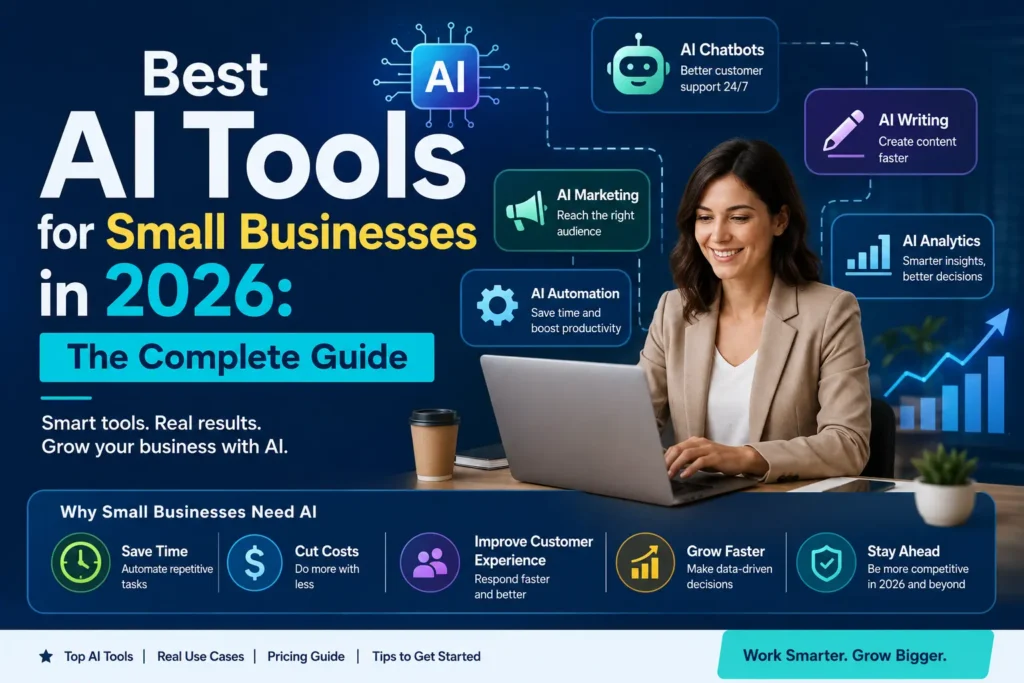
Running a small business in 2026 means wearing more hats than ever — marketer, accountant, customer support rep, salesperson, and operations manager, often all before lunch. The good news is that AI tools for small businesses have matured to the point where they can genuinely lighten that load. They are no longer experimental add-ons reserved for large enterprises with dedicated IT departments and six-figure software budgets. Today, a solo founder or a five-person team can access the same caliber of automation, content generation, and data analysis that used to require an entire department.
This guide breaks down the best AI software for small business owners in0 2026, organized by the problems they solve rather than just their brand names. Whether you’re looking for the best AI tools for small business marketing, customer service, bookkeeping, or day-to-day productivity, you’ll find a practical, no-fluff overview here — along with guidance on how to choose the right combination for your specific business, not just the most talked-about tools on social media.
Why Small Businesses Are Turning to AI in 2026
Small businesses make up nearly half of the U.S. economy and employ a huge share of the private-sector workforce, yet for years they lagged behind larger companies in AI adoption. That gap is closing fast. Several forces are driving this shift:
- Lower barriers to entry. Most AI for small business owners tools now offer no-code setup, generous free tiers, and interfaces built for non-technical users.
- Real, measurable ROI. Business owners are no longer experimenting for the sake of it — they’re tracking hours saved, response times improved, and costs reduced.
- Built-in integrations. Modern AI tools plug directly into the software small businesses already use, like QuickBooks, Slack, Google Workspace, and HubSpot, instead of requiring a separate workflow.
- Competitive pressure. As more small businesses in a given industry adopt AI-powered small business software, the businesses that don’t risk falling behind on speed, cost, and customer experience.
The result is what many are now calling a “universal AI stack” — a small, curated set of tools that any small business, regardless of industry, can use to punch above its weight.
How to Choose the Right AI Tools for Your Small Business
Before diving into specific tools, it helps to have a simple framework for evaluating them. Most small business owners don’t need ten different AI subscriptions — they need two or three that solve real, recurring problems. When evaluating any AI tool for small business, consider:
- Workflow fit — Does it solve a task your team repeats every week, not just an occasional one-off?
- Data access — Can it connect to the files, emails, CRM records, or documents it actually needs to be useful?
- Human oversight — Can your team review and approve important outputs before they reach a customer or a client?
- Security and data use — Does the vendor clearly explain how your business data is stored, used, and (ideally) excluded from model training?
- Pricing transparency — Is there a genuine free tier or low-cost entry point, or does the “starter” plan quietly require a costly upgrade to get real value?
With that framework in mind, let’s walk through the categories where AI is having the biggest impact on small businesses this year.
1. Best General-Purpose AI Assistants for Small Business
General AI assistants are usually the first stop for small business owners exploring AI, and for good reason — they’re flexible enough to help with almost anything, from drafting emails to analyzing spreadsheets to brainstorming a new product name.
ChatGPT Business
ChatGPT remains one of the most widely adopted AI tools for small business owners, largely because of its flexibility. It’s used for drafting content, analyzing data, coding assistance, and general brainstorming. The Business tier is aimed at teams that want a secure, shared workspace without their conversations being used to train the underlying model.
Claude for Small Business
Anthropic’s Claude has also moved directly into this space. In May 2026, Anthropic launched Claude for Small Business, a package built on top of Claude Cowork that bundles ready-to-run agentic workflows and skills covering finance, operations, sales, marketing, HR, and customer service.
It connects to tools small businesses already rely on — including QuickBooks, PayPal, HubSpot, Canva, DocuSign, Google Workspace, Microsoft 365, and Slack — and is designed so that Claude asks for approval before it sends, posts, or pays anything on the business’s behalf. Because it’s included with an existing Claude subscription rather than billed as a separate product, it has become a popular entry point for small teams wanting AI that can actually take action inside their existing software, not just chat about it.
Google Gemini and Microsoft 365 Copilot
For small businesses already living inside Google Workspace or Microsoft 365, Gemini and Copilot bring AI assistance directly into familiar tools like Docs, Sheets, Outlook, and Excel. This “AI where you already work” approach reduces the learning curve significantly, since employees don’t need to learn a brand-new interface.
Perplexity
Perplexity has carved out a niche as a research-first AI assistant, useful for small business owners who need quick, well-sourced answers on market trends, competitors, or industry regulations without digging through a dozen browser tabs.
Best for: Owners who want one flexible tool to help with a wide range of daily tasks before investing in more specialized software.
2. Best AI Tools for Small Business Marketing and Content Creation
Content creation is one of the most time-consuming tasks for small business owners, and it’s also where AI has made some of the most obvious, immediate impact.
Jasper
Jasper remains a leading choice among AI content tools for small business marketing teams. It’s built specifically for generating on-brand marketing copy at scale — blog posts, ad copy, product descriptions, and social captions — and includes templates for different content types plus integrations with SEO tools, making it a strong pick for businesses spending significant weekly hours on content production.
Canva AI
Canva’s AI features (including Magic Design and AI-generated imagery) let small business owners create professional-looking graphics, social posts, and even short videos without hiring a dedicated designer. For a solo founder managing their own marketing, this is often the single highest-leverage tool in their stack.
Grammarly
Grammarly has expanded well past spell-checking. It now analyzes tone, clarity, and delivery across every piece of business writing — emails, proposals, reports, and customer messages — and its business tier adds brand tone customization and team-wide style guides. For consultants, agencies, and any small business where professional communication really matters, it’s one of the most consistently useful tools available.
HeyGen
Video content has become a bigger part of small business marketing, and tools like HeyGen make it possible to generate professional AI avatar videos — for product explainers, social ads, or onboarding content — without a camera crew or studio.
Best for: Small businesses that need to produce a steady stream of marketing content but don’t have an in-house creative team.
3. Best AI Tools for Small Business Customer Support and Communication
Customer communication is often the most fragmented part of running a small business — messages scattered across email, SMS, live chat, WhatsApp, and social DMs. AI is increasingly used to unify and automate this.
Missive
Missive brings email, SMS, WhatsApp, Instagram, Messenger, and live chat into a single shared inbox, letting a small team collaborate on replies without messy CC chains or forwarded threads. It’s a strong example of AI-assisted team inbox software built specifically with small teams in mind.
Freshdesk
Freshdesk uses AI to help small support teams triage tickets, suggest replies, and automate routine responses, which matters a great deal when a small business doesn’t have the headcount for a dedicated support department.
Nextiva
Nextiva combines voice, video, SMS, and chat into one platform, with an AI receptionist feature that can field and route customer calls automatically — solving a very specific pain point for small businesses that can’t staff a phone line around the clock.
Best for: Small businesses juggling customer messages across too many channels to track manually.
4. Best AI Tools for Small Business CRM and Sales
Keeping track of leads, deals, and customer relationships used to require either an expensive enterprise CRM or a chaotic spreadsheet. AI-powered CRMs have closed that gap considerably.
HubSpot
HubSpot remains one of the most recognizable names in AI CRM software for small business, offering AI-assisted lead scoring, email drafting, and pipeline management, with a free tier that makes it accessible even to very early-stage businesses.
folk
folk is an AI-first CRM built specifically for small teams (typically in the 20–50 person range), unifying contacts, email, WhatsApp conversations, and LinkedIn outreach in a single, searchable pipeline — useful for businesses that rely heavily on relationship-driven sales.
Best for: Small businesses that need to keep sales organized without hiring a dedicated sales operations person.
5. Best AI Tools for Small Business Finance and Bookkeeping
Bookkeeping is rarely anyone’s favorite task, which makes it one of the best candidates for AI automation.
QuickBooks with Intuit Assist
QuickBooks has built Intuit Assist, an AI-powered financial assistant, directly into its dashboard. It can help categorize expenses, flag anomalies, and answer plain-language questions about cash flow — a significant relief for small business owners who’d otherwise need to hire outside bookkeeping help far earlier than they can afford to.
Best for: Owners who currently spend hours each month manually reconciling books or chasing invoices.
6. Best AI Tools for Small Business Productivity and Documentation
Beyond marketing and finance, a huge amount of small business time goes into internal documentation — meeting notes, SOPs, project tracking, and onboarding materials.
Notion AI
Notion’s AI add-on drafts, summarizes, and restructures content directly inside a team’s existing docs and wikis. It’s particularly useful for small teams trying to turn scattered knowledge into repeatable playbooks and templates, and its databases help connect documents to owners, deadlines, and status without adding a separate project management tool.
Loom
Loom uses AI to draft titles, summaries, and chapters for screen recordings automatically, trimming filler and silence so a rough take becomes a polished explainer video — handy for training new hires or documenting a process without writing a lengthy manual.
Zapier
Zapier’s AI-powered “zaps” let small business owners build automated workflows using plain natural language instead of manually configuring triggers and actions. With thousands of integrations connecting to tools like QuickBooks, Slack, and Google Sheets, it’s often the connective tissue that ties an entire small business AI stack together.
Best for: Small businesses that want to reduce repetitive manual work across multiple tools at once.
7. Best AI Tools for Small Business HR and Hiring
As small teams grow, hiring and onboarding can quickly become a part-time job on top of everything else. AI is starting to close this gap too.
Modern applicant-tracking tools now use AI to screen resumes against job requirements, draft interview questions tailored to a role, and summarize candidate feedback from multiple interviewers into a single decision-ready document. On the onboarding side, tools like Notion AI and Loom (covered above) double as informal HR tools — AI-generated onboarding checklists and narrated walkthrough videos mean a new hire’s first week requires far less one-on-one hand-holding from the owner.
For small businesses that handle payroll and benefits themselves, AI features baked into payroll platforms can flag compliance issues, remind owners of filing deadlines, and answer plain-language questions about employee classification — reducing the risk of costly mistakes that come from not having a dedicated HR department.
Best for: Small businesses hiring their first few employees without an HR function in place yet.
8. Best AI Tools for Small Business E-Commerce
For small businesses selling physical or digital products online, a separate category of AI tools for small business e-commerce has emerged around product listings, inventory, and customer experience.
AI-powered product description generators can turn a short list of features into polished, SEO-friendly listing copy in seconds, which matters enormously for stores with hundreds of SKUs. AI-driven inventory forecasting tools analyze past sales patterns to flag when a product is likely to sell out, helping small retailers avoid both stockouts and overstock. On the customer-facing side, AI chatbots embedded directly into storefronts can answer sizing, shipping, and return questions instantly, reducing the volume of routine support tickets that would otherwise land in an owner’s inbox.
Best for: Small online retailers managing large product catalogs with a lean team.
Comparing the Top AI Tool Categories at a Glance
| Category | Example Tools | Core Problem Solved | Typical Starting Cost |
|---|---|---|---|
| General AI assistants | ChatGPT, Claude, Gemini, Perplexity | Broad, everyday tasks: writing, research, analysis | Free – $20/mo |
| Marketing & content | Jasper, Canva AI, Grammarly, HeyGen | Producing on-brand content at scale | Free – $49/mo |
| Customer support | Missive, Freshdesk, Nextiva | Unifying and automating customer communication | Free – $30/mo per seat |
| CRM & sales | HubSpot, folk | Tracking leads, deals, and relationships | Free – $50/mo |
| Finance & bookkeeping | QuickBooks + Intuit Assist | Automating expense tracking and reporting | ~$30/mo |
| Productivity & docs | Notion AI, Loom, Zapier | Documenting processes and automating workflows | Free – $20/mo per seat |
This table isn’t exhaustive, but it’s a useful starting point when you’re deciding which single category to tackle first with a limited budget.
Building Your Own Small Business AI Stack
With so many AI tools for small businesses available in 2026, the temptation is to try everything at once. In practice, that usually backfires — subscription costs pile up, and employees end up context-switching between too many disconnected tools. A more effective approach is to build a small, deliberate stack:
- Start with your biggest time drain. If customer messages are chaotic, start with a unified inbox tool. If content creation is the bottleneck, start with a writing or design assistant.
- Pick one general-purpose AI assistant. A tool like ChatGPT, Claude, or Gemini can handle a surprising range of ad hoc tasks and often reduces the need for several smaller, single-purpose tools.
- Add specialized tools only where the ROI is obvious. A dedicated CRM, bookkeeping assistant, or design tool is worth paying for once you can clearly see the hours or costs it saves.
- Use automation to connect them. Tools like Zapier let your AI stack work together instead of existing as isolated pieces of software.
- Review your stack quarterly. AI tools are evolving quickly in 2026; a tool that was the best option six months ago may already have been surpassed by a more integrated alternative.
Common Mistakes Small Businesses Make with AI Tools
Even with strong tools available, small businesses often stumble in predictable ways:
- Skipping human review. AI-generated content, financial summaries, and customer replies should still be checked before they go out, especially in regulated industries or for anything involving legal or financial commitments.
- Over-subscribing. Signing up for every trending AI tool leads to subscription fatigue and duplicated functionality. Most small teams genuinely need only two or three core tools.
- Ignoring data security. Not every AI vendor handles business data the same way. It’s worth a few minutes to understand whether your data is used for model training and how it’s stored before connecting sensitive accounts.
- Treating AI as “set and forget.” The most successful small businesses using AI treat it as an evolving part of their operations, revisiting workflows as new features and tools become available.
Frequently Asked Questions
What are the best AI tools for small businesses in 2026? The best AI tools for small businesses in 2026 span several categories: general assistants like ChatGPT, Claude, and Gemini; marketing tools like Jasper, Canva AI, and Grammarly; customer support platforms like Missive and Freshdesk; CRMs like HubSpot and folk; and finance tools like QuickBooks with Intuit Assist. The right combination depends on which tasks eat the most time in your specific business.
Are AI tools affordable for small businesses? Yes. Most AI software for small business owners now offers free tiers or low-cost entry plans, with paid tiers typically starting well under $50 per month. The bigger cost consideration is usually time spent learning and integrating a tool, not the subscription price itself.
Do I need technical skills to use AI tools for my small business?
No. Most modern AI tools for small business owners are designed with no-code setup and plain-language interfaces specifically so that non-technical founders and small teams can start using them within a day or two.
How many AI tools should a small business use?
Most small businesses get the most value from two or three well-chosen tools rather than a large, disconnected stack. Start with whichever task currently takes up the most manual time each week.
Is my business data safe with AI tools?
It depends on the vendor. Before connecting sensitive systems like accounting software or customer databases, check whether the provider excludes your data from model training and clearly documents how data is stored and secured.
Final Thoughts
The best AI tools for small businesses in 2026 aren’t necessarily the flashiest or most talked-about products — they’re the ones that solve a real, recurring problem in your day-to-day operations. Whether that means unifying scattered customer messages, generating a week’s worth of marketing content in an afternoon, automating bookkeeping, or simply having a capable AI assistant to lean on for everyday writing and research, the tools now exist to give small businesses the kind of leverage that used to require a much larger team.
Start small, pick tools that fit workflows you already have, and expand your AI stack only as the ROI becomes obvious. That approach — not chasing every new release — is what separates small businesses that get real value from AI in 2026 from those that just add another subscription to the pile.