Introduction
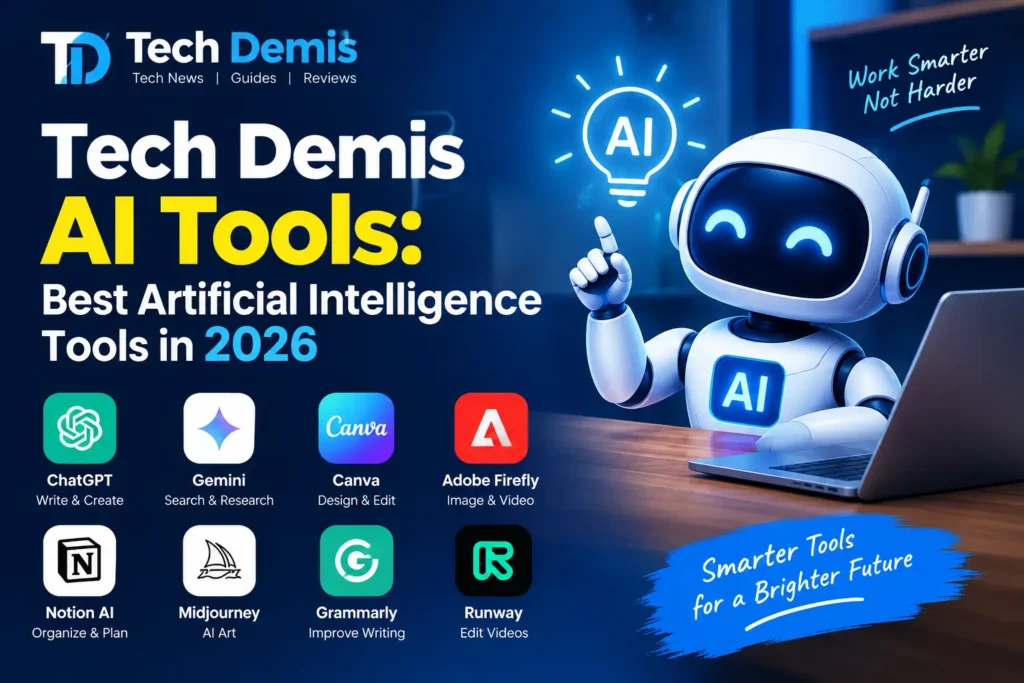
Artificial intelligence has moved from being a novelty to becoming the backbone of how people work, create, and communicate. If you have been searching for the best artificial intelligence tools in 2026, you already know the landscape has exploded — there are now tens of thousands of AI tools competing for your attention, and picking the right one can feel overwhelming. That is exactly why this Tech Demis AI tools guide exists.
In this article, we break down the best AI tools of 2026 by category, so whether you are a content creator, a developer, a marketer, a student, or a business owner, you will walk away knowing exactly which artificial intelligence tools deserve a spot in your daily workflow. We will cover AI chatbots, AI writing tools, AI coding assistants, AI image generators, AI video generators, AI productivity and automation platforms, and AI research tools — along with practical tips on how to choose the right one for your needs.
Let’s dive into the definitive list of AI tools 2026 has to offer.
Why AI Tools Matter More Than Ever in 2026
Artificial intelligence tools are no longer optional extras. They have become embedded into everyday software — search engines, email clients, design platforms, spreadsheets, and even operating systems now ship with some form of built-in AI assistant. The best artificial intelligence tools in 2026 share a few common traits:
- They save measurable time on repetitive tasks
- They integrate smoothly with the tools you already use (Slack, Gmail, Notion, Salesforce, and more)
- They reduce the skill barrier for tasks like design, coding, and video editing
- They keep improving through frequent model updates
- They offer flexible pricing, from generous free tiers to enterprise plans
With that context in mind, let’s explore the top AI tools 2026 categories one by one.
1. AI Chatbots and Writing Assistants
AI chatbots remain the entry point for most people into the world of artificial intelligence tools. In 2026, three names dominate this space: ChatGPT, Claude, and Gemini. Each has carved out a distinct reputation.
ChatGPT continues to be the most versatile all-around assistant, known for a strong voice mode, broad plugin ecosystem, and reliable performance across quick questions, image generation, and deep research tasks. For many casual users, it remains the single AI tool they reach for first.
Claude, built by Anthropic, has built a reputation among writers, researchers, and professionals who need long-form reasoning, nuanced writing, and careful analysis. It is frequently recommended for execution-heavy tasks where accuracy and thoughtful reasoning matter more than speed. Claude’s Artifacts feature also lets users generate interactive documents, simple apps, and visual content directly inside the chat.
Gemini has become deeply woven into the Google ecosystem — Search, Gmail, Docs, Android, YouTube, and Chrome all now carry some layer of Gemini intelligence. For anyone who already lives inside Google Workspace, this integration is Gemini’s biggest advantage, since it can understand context across your documents and inbox without extra setup.
Beyond the “big three,” Perplexity has earned its place as one of the best AI tools for research specifically because it cites its sources, making it a favorite among students, journalists, and analysts who need traceable answers rather than unverifiable claims.
Best For
- ChatGPT: general-purpose daily assistant
- Claude: long-form writing, reasoning, and technical execution
- Gemini: Google Workspace integration
- Perplexity: cited, source-backed research
2. AI Coding Tools and Developer Assistants
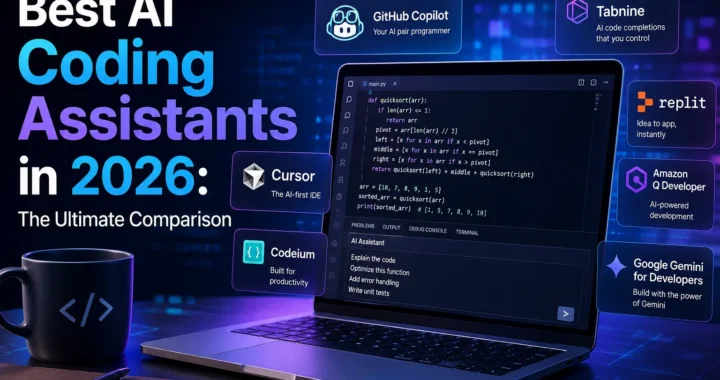
Software development has arguably seen the biggest transformation from AI tools in the past two years. In 2026, AI coding assistants have shifted from simple autocomplete tools into full agentic collaborators that can plan tasks, write code, run tests, and refactor entire codebases.
Cursor remains a favorite among developers who want an AI-native code editor that feels like pair programming with an engineer who already understands the codebase. Developers report spending less time writing boilerplate and more time reviewing architecture and logic decisions — a meaningful shift in how coding work gets done.
Claude Code represents the agentic direction coding tools are heading in. It can understand a project’s requirements, plan out multi-step tasks, write production-grade code, and assist with testing, making it particularly effective for complex end-to-end workflows like API design or large-scale refactoring.
Other notable names in this category include GitHub Copilot, Windsurf, Lovable, V0, Replit, and Bolt.new — each excelling at a different stage of the product development lifecycle, from rapid prototyping and UI generation to production-ready engineering.
Best For
- Cursor: AI-native code editor for daily development
- Claude Code: complex, multi-step agentic coding workflows
- Lovable / V0 / Bolt.new: rapid app and UI prototyping
- GitHub Copilot: inline code suggestions inside existing IDEs
3. AI Image Generation Tools
Image generation is another category where the best artificial intelligence tools in 2026 have matured dramatically. What used to produce obviously artificial, distorted results now produces polished, commercially usable visuals in seconds.
Google’s Gemini-powered image tools have become one of the most popular free options for everyday image generation, thanks to tight integration with Google’s broader ecosystem. Adobe Firefly stands out for creators who need commercial safety, since its models are trained with licensing considerations in mind. Midjourney continues to be prized for artistic, stylized outputs, while Flux.1 from Black Forest Labs has become one of the most widely used open-source image models of the year, challenging the dominance once held by a handful of proprietary players.
For non-designers, Canva’s Magic Media and Figma’s Magic Design have made AI image and interface generation accessible without any design background — letting users type a simple description and receive a fully editable, layered design in return.
Best For
- Gemini image tools: fast, free, everyday image generation
- Adobe Firefly: commercially safe creative assets
- Midjourney: artistic and stylized visuals
- Flux.1: open-source flexibility and fine-tuning
- Canva Magic Media / Figma Magic Design: no-skill-required design work
4. AI Video Generation Tools
AI video generation has arguably been the fastest-growing category of artificial intelligence tools in 2026, driven largely by e-commerce sellers and social media creators who need motion content faster than traditional production allows.
Google Veo 3.1 has emerged as one of the strongest all-around video models, offering realistic combined video and audio generation with strong adherence to text and image prompts. It supports multiple ways to start a project, including text-to-video, image-to-video, and multi-reference “ingredients-to-video” workflows.
Runway continues to lead on camera control and generative editing, while Kling 3.0 has become known for handling high-motion scenes exceptionally well. Sora 2 remains a strong choice for narrative concepting and cinematic visual mood. For creators who want access to multiple video models without juggling separate subscriptions, aggregator and creative-suite platforms bundle several engines — including Veo, Kling, and Seedance — under a single workspace and credit system.
For talking-head and avatar-style content, tools like HeyGen, Synthesia, and BIGVU dominate, letting users turn a script into a polished presenter-style video complete with captions and lip-sync, without ever stepping in front of a camera.
Best For
- Google Veo 3.1: realistic, all-around video generation
- Runway: camera control and generative editing
- Kling 3.0: high-motion, dynamic scenes
- HeyGen / Synthesia: talking-head and avatar videos for marketing and training
5. AI Productivity and Automation Tools
Not every task calls for a chatbot. A large share of everyday work — email follow-ups, CRM updates, ticket routing, meeting notes — is repetitive and operational rather than creative. This is where AI automation and agent platforms shine.
Zapier has expanded well beyond simple app-to-app automation, now letting users layer AI agents on top of more than 9,000 integrated apps, so an agent triggered by an event in one tool can autonomously complete a task across your entire stack. Lindy and n8n serve a similar purpose, allowing solo founders and teams to automate cold outreach, lead follow-ups, and support ticket tagging without manual intervention.
For teams working heavily inside Slack or Microsoft Teams, dedicated AI teammates can read ongoing conversations and proactively offer to take tasks off your plate — a meaningful step beyond simple chatbot Q&A toward genuinely autonomous assistance.
For meetings specifically, Granola has become a popular choice for automatic note-taking, while Wispr Flow has carved out a niche in AI-powered dictation for people who prefer speaking over typing.
Best For
- Zapier: cross-app AI agent orchestration
- Lindy / n8n: recurring administrative automation
- Granola: meeting notes and transcription
- Wispr Flow: voice-to-text dictation
6. AI Research and Data Analysis Tools
For students, analysts, and researchers, a distinct category of artificial intelligence tools has grown around deep research and data analysis. Perplexity remains a leader here because of its transparent sourcing, but many general chatbots — including ChatGPT, Claude, and Gemini — now include dedicated “deep research” modes that can autonomously browse the web, synthesize dozens of sources, and produce structured reports.
On the data science side, AI-powered notebooks and coding assistants can now clean messy datasets, generate visualizations, and explain statistical results in plain language, lowering the barrier for non-technical team members to work with data confidently.
Best For
- Perplexity: cited web research
- ChatGPT / Claude / Gemini deep research modes: long-form synthesis reports
- AI-powered notebooks: data cleaning and visualization for non-technical users
7. AI Tools for Education and Learning
Education is another sector being reshaped by artificial intelligence tools in 2026. Traditional online courses tend to give every student the same video, in the same order, at the same pace, regardless of how quickly they grasp a concept. AI-powered learning platforms are changing that by adapting pacing, examples, and practice questions to each learner in real time.
AI tutoring assistants can now generate personalized study plans, quiz students on weak areas, and explain difficult concepts using multiple analogies until something clicks. Language-learning apps have also integrated conversational AI so learners can practice speaking with a responsive partner instead of static exercises. For teachers and course creators, AI tools can draft lesson plans, generate quizzes, and grade written responses with detailed feedback, freeing up hours that used to go into administrative prep work.
Best For
- Personalized AI tutors: adaptive, one-on-one style learning
- AI-powered language apps: conversational practice on demand
- AI grading and lesson-planning tools: reducing teacher administrative load
8. AI Customer Service and Sales Tools
Customer-facing teams have quietly become one of the biggest adopters of artificial intelligence tools in 2026. AI-powered chat agents can now handle a large share of routine support tickets end-to-end, escalating only the cases that genuinely need a human touch. These systems have moved past scripted decision trees into context-aware conversations that reference a customer’s order history, previous tickets, and account details automatically.
On the sales side, AI tools can summarize sales calls, draft personalized follow-up emails, score leads based on engagement signals, and keep CRM records updated without a rep ever touching a spreadsheet. For small businesses without a dedicated support or sales operations team, this category of AI tool often delivers the fastest, most measurable return on investment, since it directly reduces response times and manual data entry.
Best For
- AI chat agents: automated first-line customer support
- AI call summarization tools: faster sales follow-up
- AI lead scoring: prioritizing the most promising prospects
Common Mistakes to Avoid When Adopting AI Tools
Even with access to the best artificial intelligence tools in 2026, many individuals and teams get underwhelming results because of a handful of avoidable mistakes:
- Trying to adopt too many tools at once. Spreading a team thin across five overlapping AI tools usually causes more confusion than productivity gains. It is almost always better to master one or two tools deeply before expanding.
- Ignoring data privacy settings. Many AI platforms offer options to opt out of having your data used for model training. Reviewing these settings matters, especially for teams handling sensitive client information.
- Treating AI output as final rather than a draft. Whether it is written content, code, or a generated image, the best results still come from using AI output as a strong first draft that a human refines, not a finished deliverable.
- Skipping the free trial. Committing to an annual plan before testing a free tier is a common way to end up locked into a tool that does not fit your actual workflow.
- Underestimating the learning curve. Some of the most powerful AI tools, particularly agentic coding and automation platforms, take a few real projects before their full value becomes clear. Give a new tool a fair test window before abandoning it.
How to Choose the Right AI Tool in 2026
With so many AI tools 2026 has introduced, the right choice ultimately depends on the specific job you need done rather than chasing whichever tool is trending. A useful way to decide:
- Identify your biggest time drain. Start with the task costing you the most hours each week rather than trying to adopt every tool at once.
- Match the tool to the job, not the hype. A generalist chatbot will not out-perform a dedicated video, coding, or automation tool built specifically for that job.
- Check integration compatibility. A tool that plugs directly into Slack, Gmail, Notion, or your CRM will save more time than a standalone tool requiring manual copy-pasting.
- Test the free tier first. Nearly every major AI tool in 2026 offers some free access — use it to evaluate real output quality before committing to a paid plan.
- Watch for commercial usage rights. Especially with image and video generators, confirm the license terms before using AI-generated content in client work or advertising.
Quick Comparison Table
| Category | Top Tool | Best For |
|---|---|---|
| AI Chatbot | ChatGPT | General-purpose daily assistant |
| AI Writing & Reasoning | Claude | Long-form writing and technical execution |
| AI Research | Perplexity | Source-cited research |
| AI Coding | Cursor / Claude Code | Developer workflows and agentic coding |
| AI Image Generation | Adobe Firefly / Flux.1 | Commercial-safe and open-source visuals |
| AI Video Generation | Google Veo 3.1 | Realistic all-around video creation |
| AI Automation | Zapier / Lindy | Cross-app workflow automation |
| AI Meeting Notes | Granola | Automatic transcription and summaries |
The Future of Artificial Intelligence Tools Beyond 2026
Looking ahead, the trend across nearly every category of artificial intelligence tools points toward deeper agentic behavior — tools that do not just respond to prompts but proactively complete multi-step tasks with minimal supervision. Expect continued convergence too: writing, coding, image, and video capabilities are increasingly bundled into single platforms rather than isolated single-purpose apps, and voice interfaces are becoming a standard way to interact with AI rather than a novelty feature.
For anyone building a long-term AI stack, the smartest approach is to treat these tools as a flexible toolkit rather than a single all-in-one solution. Combining a strong general-purpose chatbot, a dedicated coding assistant, a design or video tool, and an automation platform tends to cover the vast majority of real-world use cases far better than relying on one tool to do everything.
Frequently Asked Questions
What is the best overall AI tool in 2026? There is no single universal answer, since the best tool depends on the task. ChatGPT is widely considered the most versatile all-around option, Claude leads for long-form writing and reasoning, and Gemini offers the deepest integration for Google Workspace users.
Which AI tool is best for coding in 2026? Cursor and Claude Code are two of the most recommended options for developers, with Cursor excelling as an AI-native editor and Claude Code standing out for complex, multi-step agentic coding tasks.
Are AI video generators good enough for commercial use in 2026? Yes. Tools like Google Veo 3.1, Runway, and Kling 3.0 now produce broadcast-quality output with realistic motion, lighting, and native audio, though it is still important to check each platform’s commercial usage terms before publishing generated content.
Do I need to pay for AI tools, or are free versions good enough? Most leading artificial intelligence tools in 2026 offer usable free tiers, which are a great way to test quality before upgrading. However, professional or high-volume use cases usually benefit from a paid plan for higher resolution, more credits, or commercial licensing.
How do I keep up with new AI tools being released? Because the AI tools landscape changes quickly, it is worth periodically revisiting guides like this Tech Demis AI tools roundup, since new models and platforms can rise to the top within just a few months.
Final Thoughts
The best artificial intelligence tools in 2026 are no longer just about novelty — they are practical, integrated, and increasingly agentic pieces of everyday workflows. Whether you need a chatbot for daily questions, a coding assistant for shipping software faster, an image or video generator for content creation, or an automation platform to handle recurring admin work, there is now a mature, reliable AI tool built specifically for that job.
Start small: pick one category where you are losing the most time, test a couple of the tools mentioned in this Tech Demis AI tools guide, and build your AI stack from there. As artificial intelligence tools continue to evolve, staying flexible and task-focused — rather than chasing every new release — will always be the smartest strategy.